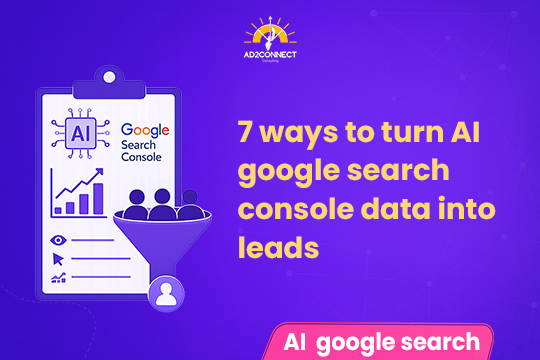
7 Ways to Turn AI Google Search Console Data Into Leads
How AI SEO Insights Help You Convert Traffic Into Revenue
Table of Contents
- Introduction
- AI Google Search Console data
- Quick Summary
- Why GSC Data Doesn’t Convert
- 7 Ways AI Turns Data Into Leads
- Real Case Study
- Expert Insights
- Actionable Checklist
- Conclusion
- FAQs
Introduction
You’re getting traffic but not getting leads.
That’s the reality for most small and medium businesses in Mumbai today. Google Search Console shows impressions rising and clicks improving, yet your phone isn’t ringing and your inbox isn’t filling up.
The real issue is simple: you have data, but you’re not turning it into action.
What you actually want:
- More qualified leads
- Lower cost per lead
- Clear ROI from SEO
This is where AI Google Search Console data changes everything.
AI Google Search Console data
AI Google Search Console data helps businesses convert SEO data into leads by identifying high-intent keywords, improving click-through rates, uncovering content gaps, and connecting search performance with real business outcomes.
- Focus on keywords that convert
- Optimize high-potential pages
- Automate SEO decisions
- Improve ROI faster
Summary
- GSC provides data, not decisions
- AI turns raw data into actionable insights
- Focus shifts from traffic to leads
- Faster and smarter SEO execution
Why GSC Data Doesn’t Convert
Most businesses assume more traffic equals more revenue. That’s incorrect.
The Real Problem
Businesses track metrics but ignore intent.
Common Mistakes
- Targeting high-volume but low-intent keywords
- Ignoring page 2 keyword opportunities
- Not optimizing for CTR
- No connection between SEO and conversions
- Manual, slow analysis
Result: traffic increases, but revenue stays flat.
7 Ways AI Turns Google Search Console Data Into Leads
1. Identify High-Intent Keywords
AI classifies search queries into informational, commercial, and transactional categories. Focus on keywords that attract buyers, not just visitors.
2. Find Quick-Win Opportunities
AI identifies keywords ranking between positions 8–15. Small improvements here can quickly increase visibility and leads.
3. Improve CTR Using AI Insights
AI detects pages with high impressions but low clicks. Optimize titles and meta descriptions to increase click-through rates.
4. Build Content Clusters
AI groups related keywords, helping you create structured content that improves authority and rankings.
5. Predict Search Trends
AI identifies emerging and seasonal keywords, allowing you to publish content before competitors.
6. Fix Technical Issues Faster
AI highlights indexing, crawl, and performance issues, enabling faster SEO improvements.
7. Connect SEO to Revenue
AI links keywords and pages to conversions, helping you understand which efforts generate leads.
Case Study
A Mumbai-based service business approached us with:
- Traffic: 20,000/month
- Leads: 140/month
- Cost per Lead: ?1,050
What We Did
- Identified 50 high-intent keywords
- Optimized 20 pages for CTR
- Built 12 keyword clusters
- Removed irrelevant traffic
Results in 90 Days
- Traffic: 20,000 ? 27,800
- Leads: 140 ? 360
- Cost per Lead: ?1,050 ? ?420
- Conversion rate increased by 2.3X
The key shift was focusing on intent rather than volume.
Expert Insights
More traffic is not always better.
In several campaigns, reducing irrelevant traffic has led to higher lead generation.
AI is effective only when paired with a clear strategy. Without defined goals, even the best tools fail to deliver results.
Actionable Checklist
- Export last 90 days of GSC data
- Identify page 2 keywords
- Use AI to classify search intent
- Optimize high-impression, low-CTR pages
- Create keyword clusters
- Focus on conversion-driven keywords
- Track leads instead of just traffic
Conclusion
Google Search Console shows what is happening. AI shows what to do next.
Businesses that act on insights outperform those that only track data.
If your goal is leads and ROI, using AI Google Search Console data is essential.