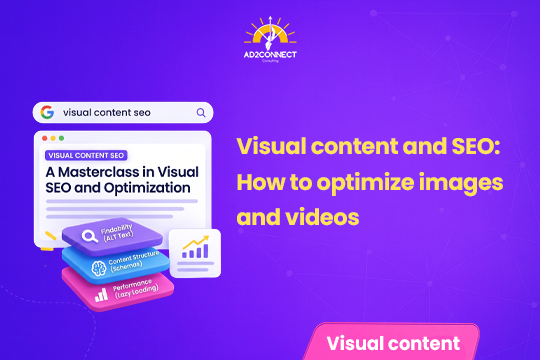
Visual Content and SEO: How to Optimize Images and Videos
Google can now “see” your photos and watch your videos. If they aren’t optimized, they’re invisible — no matter how good they look.
By Snehal Singh | Updated 24th September 2026 |
Search is no longer just text. Google now pulls images and videos directly into search results, AI overviews, and shopping results. Businesses that treat visual content as an afterthought are losing visibility to competitors who organize, optimize, and tag their images and videos properly. A simple system for naming, tagging, and hosting visual content can meaningfully increase how often a business shows up in search.
Table of Contents
- 1. Why Images and Videos Matter for SEO Now.
- 2. Where Businesses Go Wrong with Visual Content.
- 3. How Google Actually “Reads” Your Images and Videos.
- 4. A Simple Process to Optimize Your Visual Content.
- 5. Mobile, Short Videos, and Interactive Content.
- 6. Common Mistakes That Look Like Strategy.
- 7. How Ad2Connect Approaches Visual Content SEO.
- 8. Key Takeaways.
- 9. FAQs.
Why Images and Videos Matter for SEO Now
Search used to mean typing a few words and reading blue links. That’s changing fast.
Google now pulls product photos, videos, and even PDFs straight into search results and AI overviews. A user can search for something and see pictures before they see any text at all.
Apple and Google are also investing heavily in visual search. Point a phone camera at a product, and the search engine tries to identify it, find similar items, and show reviews. Text is no longer the only door into your business.
If your images and videos aren’t set up correctly, none of this works in your favour. You simply don’t show up.
Where Businesses Go Wrong with Visual Content
Most businesses create plenty of visual content. Product shots, reels, before-and-after photos, short videos. The problem isn’t a shortage of content.
The problem is organization.
Photos sit scattered across phones, folders, and old email threads. The same image gets uploaded in five different places, in five different sizes. Nobody names files properly. Nobody adds a description search engines can actually read.
Without a system, even great visual content becomes invisible to search engines. It’s there, but Google can’t make sense of it.
How Google Actually “Reads” Your Images and Videos
Google can’t truly “look” at a photo the way a person does. It relies on clues around the image to understand what it shows.
Those clues include the file name, the alt text, the surrounding page content, and structured data added to the page. For videos, clues also include the title, description, transcript, and thumbnail.
Think of it like sending your visual content to Google with no label attached at all. A photo simply named “IMG_2481.jpg” sits on a page with no supporting text. It has no alt description and no structured data. Google gets nothing to work with. Even a stunning photo of your best-selling product ends up ranked the same as a random, irrelevant image. That’s because, from a search engine’s point of view, they both look equally blank. Now give that same photo a clear file name, like “red-cotton-kurta-mumbai-store.jpg.” Add a short, honest alt description. Add a caption on the page. Add a line of structured data. Suddenly Google has enough context to understand what the image is, who might want to see it, and when it should show up in search results. That is the entire difference between a photo that ranks, and one that simply sits on your server, unseen.
This is true for video too. A video with no title, no description, and no transcript is much harder for Google to understand and recommend.
A Simple Process to Optimize Your Visual Content
You don’t need a huge team to fix this. A simple, repeatable process works for most businesses.
1. Collect everything in one place
List every place your images and videos live. This includes your website, social pages, Google Business Profile, and any vendor or partner sites.
2. Centralize your files
Keep one master copy of every image and video. Avoid uploading the same photo in ten different folders, at ten different sizes. This alone prevents most of the confusion.
3. Name and describe properly
Use clear, descriptive file names instead of default camera names. Write honest alt text that describes what’s actually in the image. Add a short caption where it makes sense.
4. Keep file sizes small
Large images slow down your website. A slow website hurts both user experience and rankings. Compress images before uploading, and use modern file formats where possible.
5. Make it easy to distribute
Host your visual content in a way that lets every channel pull from one central source. This keeps your branding consistent, and makes updates far easier.
6. Track what actually works
Keep an eye on which images and videos appear in search results, get clicks, and lead to enquiries. Drop what isn’t working. Do more of what is.
Mobile, Short Videos, and Interactive Content
Most people browse on their phones. That means every image and video needs to load fast and look good on a small screen.
Short videos matter more than ever. Platforms like Instagram Reels have trained people to expect quick, engaging clips. The same energy works well embedded on product pages and location pages too.
Interactive touches help as well. A 360-degree product view, a short before-and-after clip, or a simple poll can keep visitors on your page longer. Longer visits often send a positive signal to search engines.
Image SEO vs Video SEO: The Basics Compared
| Element | For Images | For Videos |
|---|---|---|
| File naming | Descriptive file name before upload | Clear, keyword-relevant title |
| Description | Honest, specific alt text | Detailed description with context |
| Supporting text | Caption and surrounding page copy | Transcript or captions |
| Technical basics | Compressed size, correct format | Fast-loading player, good thumbnail |
| Structured data | Product or image schema | Video schema |
Common Mistakes That Look Like Strategy
A few habits often get mistaken for a good visual content plan. They aren’t.
- Uploading camera-default file names, like “IMG_1042.jpg,” straight to the website.
- Leaving alt text blank, or stuffing it with unrelated keywords.
- Posting the same heavy, uncompressed image across every page.
- Publishing videos with no title, description, or captions.
- Never checking which photos or videos are actually driving clicks.
None of these are dishonest. They’re just habits from a time when search was mostly text. Search has moved on, and these habits quietly cost visibility.
How Ad2Connect Approaches Visual Content SEO
At Ad2Connect, we don’t treat photos and videos as an afterthought bolted onto a blog post. As a Best SEO Agency in Mumbai, we build alt text, file names, and structured data into every visual asset from the start.
We also know visuals need to look good, not just rank well. As a Creative Advertising Agency in Mumbai, our team shapes product shoots, reels, and campaign visuals that work for both the eye and the algorithm.
This combined approach is one reason growing brands trust us as their Digital Marketing Agency in Malad, Mumbai — visuals that are made to be found, not just made to look nice.
Key Takeaways
- Search results now include far more images and videos than before, especially in AI overviews.
- Google can’t “see” an image on its own — it relies on file names, alt text, and structured data.
- A simple system for naming, storing, and describing visuals fixes most of the problem.
- Keep file sizes small and every asset mobile-friendly, since most browsing happens on phones.
- Track which images and videos actually drive clicks, and double down on what works.
If your photos and videos are sitting on your website with no name, no description, and no strategy, you’re leaving visibility on the table. Talk to Ad2Connect about building a visual content system that search engines can actually understand.