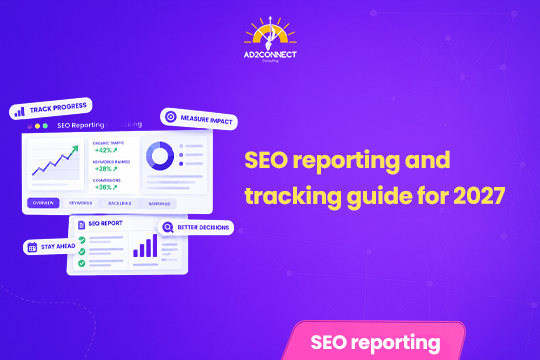
SEO Reporting and Tracking Guide for 2027
Most SEO reports fail because they show numbers without a story. Here is how to build reports in 2027 that people actually read, trust and act on.
AI Overview Summary: A good SEO report links search data to business results. In 2027, track goals, sales, small actions and AI Overview visibility, not just rankings. Split brand and non-brand keywords, compare time periods, and save your data beyond the 16-month limit in Google Search Console. Give each reader only the numbers they care about.
Table of Contents
- Why Most SEO Reports Fail
- Set Up the Right Tools
- Use AI to Save Time on Data
- Report on Goals, Not Just Rankings
- Track AI Overviews
- Split Brand and Non-Brand Keywords
- Show Revenue Clearly
- Look Ahead With Prediction
- Do Not Ignore Small Actions
- Give Each Person the Right Report
- Save Your Data for the Future
- A Simple 2027 Reporting Routine
- Mistakes That Look Like Strategy
- How Ad2Connect Approaches SEO Reporting
- Key Takeaways
- FAQs
Why Most SEO Reports Fail
Imagine you send your boss a report that has 40 pages of charts, and nobody bothers to read it, which happens far more often than most marketers would like to admit.
The numbers you find exciting may mean very little to the person who pays the bills, so a report must tell a story that answers three simple questions: what happened, why it happened, and what the team plans to do next.
The core problem is that SEO data is easy to collect but hard to explain, so many teams hand over raw numbers such as rankings, clicks and impressions and expect the reader to work out the meaning alone, when a business owner or director actually wants to know whether search is bringing in enquiries, sales and growth, and whether the money spent on it is paying off, which means every chart in a report should connect to a result that the reader already cares about, and anything that cannot be tied to a result should be moved to an appendix or left out completely.
Set Up the Right Tools
You cannot report on data that you never collected, so the first job is to get your tools in place.
Most SEO teams use a mix of free and paid tools, where Google Search Console and Google Analytics are the free basics and paid tools like Semrush, Ahrefs and Moz help track keywords and positions in more detail.
Every tool has limits, though, and Google Search Console, for example, keeps only 16 months of data, so a two-year report will run into a wall.
If any tool is missing, add its tracking code to your website today, because without that data you are working blind.
Use AI to Save Time on Data
AI can now handle the repetitive parts of reporting, so jobs that once took hours can often be finished in minutes.
Build a filter with a simple prompt
Google Search Console lets you filter queries with something called a “regex”. This is a code pattern that most of us cannot write from memory.
You can ask an AI chatbot to write it for you, for example: “Create a regular expression to list keywords containing how to, what, when and why.”
Paste the result into the Search Console query filter, and you will see only question-style searches, which shows how your educational pages are performing.
Ask plain questions of your analytics
Some AI tools can connect to your analytics data, and you can then ask questions such as “Show visitor growth by country over six months” and get an answer almost immediately.
Report on Goals, Not Just Rankings
You may feel proud when a keyword moves up two pages, but your boss will probably not share that excitement.
Business owners want to see their targets met, so sit down with them early and agree on the goals that deserve tracking.
Good goals to report on include:
- Conversion rate (how many visitors take action)
- Events (call clicks, form fills, downloads)
- Time spent on the site
Goal reporting connects your daily work to the growth of the company, and it shows value in a way that rankings alone never can.
Track AI Overviews
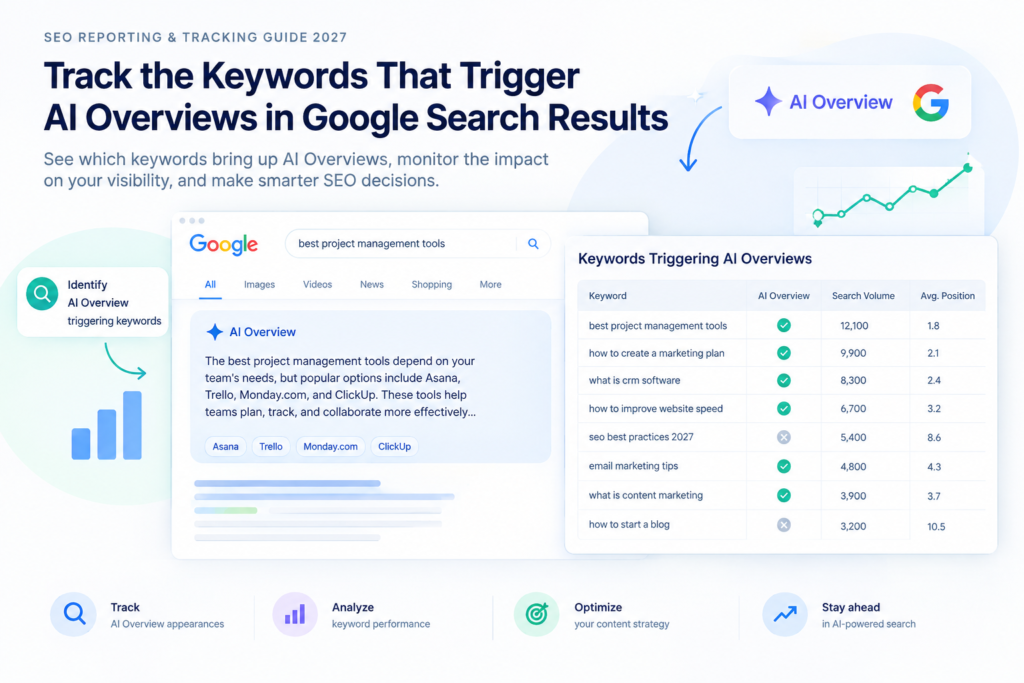
Everyone now asks about AI Overviews, which are the AI-generated answers that appear at the top of many Google results, and several tools can show which of your keywords trigger them. Here is how it works in Ahrefs:
- Open the site you want to check.
- Go to Organic search, then Organic keywords.
- Click Add filter, then SERP features, then AI Overview.
You will then see every keyword where an AI answer appears, and adding this list to your report helps decision-makers understand where your website currently stands.
Track events, even the non-SEO ones
Keep a simple log of the big moments, such as site redesigns, new pages, price changes, campaigns and Google updates, so that when traffic suddenly jumps or dips, you will know the likely reason.
Split Brand and Non-Brand Keywords
A list of 5,000 keywords proves nothing to a client, because most of those keywords bring in almost no value, so sort them into two clear groups instead.
Brand keywords include your company or product name. A person searching “Nike running shoes” already knows the brand.
Non-brand keywords are general searches, such as “running shoes”. These show how well you win new customers.
For big lists, go one step further and sort keywords by purpose: those seeking information, those ready to buy, and general ones, and then group them by page or section of the site.
It takes time, but it is the heart of good reporting, because clients want to know which searches bring people in and where those people land.
Show Revenue Clearly
Nothing grabs attention like money, and revenue is the first thing most directors look for in any report.
Compare periods
Comparisons show growth in a way anyone can follow. Look at two years of data so you can show:
- Week-over-week and month-over-month growth
- Quarter-over-quarter and year-over-year growth
- Seasonal growth
For example, a shop may earn a big share of its yearly sales around Diwali. Showing that better rankings lifted sales by 25% over last Diwali would be powerful.
Find the keywords behind sales
Tools often cannot tell which keyword led to a sale, but your IT team can help by going through logs, spotting sales and tagging the keywords behind them.
Now you can say something strong, such as “This keyword moved from position 19 to position 2, and sales of that product rose 17%,” which proves that SEO pays for itself.
Look Ahead With Prediction
Machine learning once belonged only to large companies, but today even smaller teams can use it to guess which keywords may get clicks and which pages may perform best over the next three months, and it can also warn you when something looks unusual in your traffic, such as the start of a Google update or a hidden problem on the site.
Do Not Ignore Small Actions
Not every visit ends in a sale, and many small actions happen first that still matter a great deal.
Here is a common story. Someone clicks a social media ad, browses your site and leaves, but a week later they search for your brand on Google, watch your demo video and download your free guide.
That person is much more likely to buy later, so set up tracking for small actions such as video views, guide downloads and sign-ups.
This data shows that rankings are pulling people into your sales funnel, and it also reveals weak spots, because if many people watch the demo but never buy, you know where to improve.
Give Each Person the Right Report
Your marketing team may love a report on site speed and technical fixes, but your director will almost certainly not.
A director sees “10% more traffic” and asks, “So how much more money did we make?”, and if you cannot answer, they stop reading, so build every report around the person who will read it.
| Reader | What they care about | What to show |
|---|---|---|
| Business owner or director | Sales, leads and return on spend | Revenue, conversions, growth over time, future outlook |
| Marketing head | Traffic quality and campaign results | Non-brand keywords, landing pages, AI Overview visibility |
| SEO or web team | Fixes and technical health | Site speed, errors, page-level changes, event log |
Save Your Data for the Future
Your reports today will matter in a year or two, because they tell the story of your SEO growth.
Google deletes Search Console data after 16 months, so back it up and export it on a regular schedule so that long-term comparisons stay possible.
Also think about zero-click searches, which happen when people get an answer without visiting your site, and do not report them as “clicks lost” but as “here is what we are doing about it”, because clear insights and AI visibility tracking can soften the blow and make the data far more meaningful.
A Simple 2027 Reporting Routine
Good reporting is a habit rather than a one-time task, and here is an easy routine to start with.
- Every week: check traffic, enquiries and sudden drops, and update your event log.
- Every month: send a short report with goals, conversions, revenue and top keywords.
- Every quarter: review AI Overview visibility and your brand and non-brand split.
- Every year: compare full-year results, back up your data and reset goals.
Mistakes That Look Like Strategy
Some habits feel smart but hurt your reports, so watch out for these.
- Sending one report to everyone. It feels efficient, but every reader wants to see something different.
- Reporting every keyword. It looks thorough, but it hides the few keywords that genuinely matter.
- Celebrating rankings alone. A top position means little if nobody calls, enquires or buys afterwards.
- Trusting a single tool. Every tool has gaps, so compare at least two sources.
- Skipping the event log. Without notes, you cannot explain sudden changes to anyone.
How Ad2Connect Approaches SEO Reporting
At Ad2Connect, we build every report around business goals first, and we treat rankings as a supporting detail.
Many Mumbai businesses come to us tired of reports they cannot understand, because they want to know which searches bring calls and sales. Our team, one of the best SEO services in Mumbai that local businesses trust, ties every chart to a result you can see in your enquiries.
The same thinking applies to paid campaigns. As a performance marketing agency in Mumbai, we track cost per lead and sales alongside organic results, which gives you one clear picture of what is working.
We are also a boutique digital marketing agency in Malad, which means you talk directly to the people doing the work. Your reports are shaped around your business instead of a generic template.
Key Takeaways
- Good SEO reports tell a story that is tied to business results.
- Set up your tools first and know the limits of each one.
- Use AI to cut the time spent on repetitive data work.
- Report on goals, revenue and small actions, not on rankings alone.
- Split brand and non-brand keywords so that real value becomes visible.
- Give each reader the report that suits their role.
- Back up your Search Console data before Google deletes it.
Want an SEO report your team will actually read in 2027? Talk to Ad2Connect today and turn your search data into clear growth.