10 Ways Accessibility Tree Audits Improve SEO for AI Search
There’s a hidden layer of every website that was built for screen readers, not search engines. AI agents are starting to read it directly. Here are 10 practical ways auditing it now pays off for SEO, explained in plain language.
By Snehal Singh | Published: August 6, 2026
AI Overview Summary
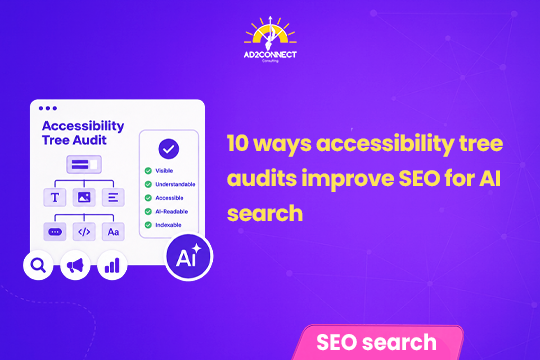
The accessibility tree is a simplified version of a webpage that browsers build behind the scenes. It was created so screen readers and other assistive tools could describe a page to people with disabilities. AI agents are now starting to read this same layer to understand websites. New technology called WebMCP is on track to let those agents actually act on websites too, not just read them. That means accessibility problems, like a button with no clear name or a confusing page structure, aren’t just a compliance risk anymore. Auditing the accessibility tree properly, from labeling key buttons to checking heading structure to comparing it before and after a site migration, can directly improve whether an AI agent understands and correctly uses your website.
Table of Contents
- What Is the Accessibility Tree, in Plain Terms?
- Why AI Agents Suddenly Care About This
- Why This Was Never Just About Search Engines
- 10 Ways Accessibility Tree Audits Improve SEO
- Old Audits vs the New Approach
- Mistakes That Look Like Strategy
- How Ad2Connect Thinks About This
- Key Takeaways
What Is the Accessibility Tree, in Plain Terms?
Every time a browser loads a webpage, it doesn’t just show the visual design. It also quietly builds a second, simplified version of that page behind the scenes.
This second version is called the accessibility tree. Think of it as a plain-language outline of the page.
It lists things like: this is a button, this is a heading, this link is named “Contact Us.” It notes that a form field expects an email address.

Screen readers use this outline to describe a page out loud. This helps someone who can’t see the screen. It’s existed for years, built entirely to help people with disabilities use the web.
Why AI Agents Suddenly Care About This
Here’s what changed. AI agents can now browse a website and take action on your behalf. They’re starting to read this same accessibility tree to understand what’s on a page.
That makes sense when you think about it. An AI agent doesn’t see a page visually the way a person does. It needs a structured, plain-language description of what’s there. That’s exactly what the accessibility tree already provides.
There’s a new piece of technology called WebMCP on the way too. It’s expected to let AI agents not just read a website through this layer, but actually act on it. That means clicking buttons and filling out forms on a person’s behalf.
Put simply, a layer that used to matter only for accessibility now also affects whether an AI agent can correctly understand and use your website.
Why This Was Never Just About Search Engines
Before going further, it’s worth being clear about something important. The accessibility tree wasn’t built for SEO or for AI agents. It exists so people with disabilities can actually use the web.
Getting it wrong doesn’t just risk a missed opportunity with an AI tool. Sloppy or incorrect labeling can genuinely mislead a real person using a screen reader. That person has no way of knowing they’re being given confusing or wrong information.
It also carries real legal risk. Accessibility lawsuits have become increasingly common. Businesses with a messy accessibility tree are a common target.
So the SEO angle here is a bonus reason to fix these issues properly. It’s not a replacement for the real reason they matter in the first place.
10 Ways Accessibility Tree Audits Improve SEO
You don’t need to become an accessibility expert overnight. These ten checks cover most of the ground that matters for both real users and AI agents.
1. Give Every Important Button a Real Name
A button that visually says “Buy Now” but has no proper name behind it is invisible to a screen reader. It’s also invisible to an AI agent trying to complete a purchase. Start with your highest-traffic pages, since a missing label on your pricing page matters far more than one on an old blog post.
2. Fix Your Heading Structure
Headings should follow a logical order, like a table of contents, not jump around randomly. A confusing heading structure makes it harder for both screen readers and AI agents to understand what a page is actually about.
3. Label Every Form Field Properly
A checkout or lead-gen form with unlabeled fields is a common source of lost conversions. If an AI agent can’t tell what a field expects, it can’t fill it out correctly on someone’s behalf.
4. Define Clear Landmark Regions
Marking out a page’s navigation, main content, and footer as distinct regions helps any tool, human or AI, quickly understand a page’s layout instead of treating it as one long, undivided block of content.
5. Check That Focus Order Matches Reading Order
When someone tabs through a page using only a keyboard, the order should match how the page visually reads. A scrambled focus order confuses real users and can just as easily confuse an AI agent trying to navigate a page step by step.
6. Write Accurate Image Alt Text on High-Value Pages
Alt text isn’t just a compliance checkbox. On product pages or key landing pages, accurate descriptions help both screen readers and AI systems understand what’s actually being shown.
7. Make Sure Dynamic Content Gets Announced Correctly
Pages that update content without a full reload, like a live cart total or a search results list, need to properly announce those changes in the accessibility tree. Otherwise, that updated information can go completely unnoticed by anyone not looking directly at the screen.
8. Properly Structure Data Tables
Tables with clearly associated headers let both screen readers and AI systems correctly connect each piece of data to what it represents, rather than treating a table as a meaningless grid of numbers.
9. Run a “Tree Diff” During Any Website Migration
Whenever a website goes through a redesign or platform migration, compare the accessibility tree before and after the change. Migrations often quietly strip out proper labels and structure without anyone noticing, since a page can still look correct visually while the structure underneath gets scrambled.
10. Prioritize Fixes by Business Impact, Not Just Severity
Most accessibility audits sort problems by technical severity, which is correct for compliance but doesn’t help get the work funded or completed. Cross-reference issues with real traffic, revenue, and AI citation data instead. A single missing label on a high-value page can matter more than dozens of small issues on pages nobody visits.
Old Audits vs the New Approach
| Traditional Accessibility Audit | Business-Prioritized Audit |
|---|---|
| Sorted by technical severity level | Sorted by real traffic and revenue impact |
| A long list of hundreds of issues | A short, ranked list of the issues that matter most |
| Often hard to get funded | Easier to fund due to business impact |
| Covers legal risk | Covers legal risk + SEO and AI visibility |
Mistakes That Look Like Strategy
- Treating the accessibility tree as a new SEO trick instead of remembering its real purpose first.
- Fixing accessibility issues in random order instead of starting with high-traffic, high-revenue pages.
- Skipping an accessibility check during a website migration or redesign.
- Handing developers a 400-item list instead of a focused top-ten list tied to real business impact.
- Assuming a page that looks fine visually must also be structured correctly underneath.
How Ad2Connect Thinks About This
At Ad2Connect, we treat a website’s underlying structure as part of its overall performance, not a separate technical afterthought. A page that looks great and ranks well can still fail a real user, or now, an AI agent, if the structure underneath isn’t solid.
If your site has been through a redesign or migration recently, that’s a good moment to check whether anything got quietly broken underneath the surface.
Key Takeaways
- The accessibility tree is a hidden, simplified version of your webpage that browsers build for screen readers, and now for AI agents too.
- AI agents are starting to read this layer to understand and use websites.
- This was never just about SEO. It affects real users and carries legal risk.
- Ten practical checks cover most key areas.
- Prioritize by business impact, not just severity.