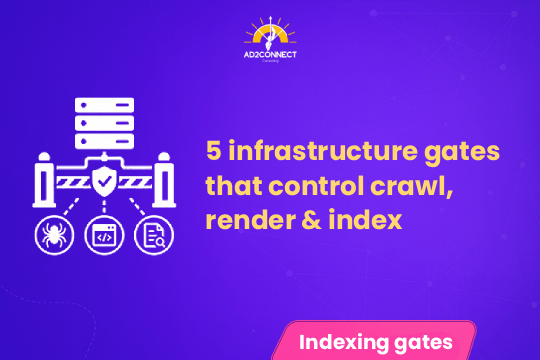
5 Infrastructure Gates That Control Crawl, Render & Index
Before any webpage appears in search results, it must pass through a technical process called
crawl, render, and index. These steps allow search engines to discover, process,
and store web pages in their search databases.
Search engine bots like Googlebot and Bingbot must pass through five important infrastructure checkpoints before they can fully process your content. If any of these gates fail, your page may never be indexed or appear in search results.
Understanding these infrastructure gates is essential for technical SEO, website performance, and search visibility.
Quick Summary: The 5 Infrastructure Gates
Search engines must pass through these five technical checkpoints before indexing a webpage:
- DNS resolution
- Server availability
- robots.txt accessibility
- URL discovery
- Content rendering
If any gate fails, the page may never reach the search engine index.
Understanding Crawl, Render, and Index
Crawl
Crawling occurs when search engine bots scan the web to discover pages.
They follow links, XML sitemaps, and navigation structures to find new content.
- Internal links
- XML sitemaps
- External backlinks
- Website navigation
Render
Rendering is the process where search engines interpret a webpage’s content, including:
- HTML structure
- CSS styling
- JavaScript scripts
- Images and media
Modern search engines rely on browser-like engines similar to Google Chrome to understand dynamic websites.
Index
Indexing is the stage where search engines store processed pages in their database
so they can appear in search results.
If a page fails to be indexed, it cannot rank for any keywords.
The 5 Infrastructure Gates Explained
1. DNS Resolution
DNS (Domain Name System) converts a domain name into a server IP address.
Without DNS resolution, search engines cannot access your website.
example.com ? 192.0.2.1
Common DNS Issues
- Slow DNS lookup times
- DNS misconfiguration
- Expired domain records
- DNS provider outages
Optimization Tips
- Use reliable DNS providers
- Enable DNS redundancy
- Monitor DNS performance
- Reduce DNS lookup latency
2. Server Availability
Once DNS resolves, search engines attempt to connect to the server hosting your website.
Server errors can stop crawling immediately.
| Status Code | Meaning |
|---|---|
| 500 | Internal server error |
| 502 | Bad gateway |
| 503 | Service unavailable |
| 504 | Gateway timeout |
Frequent server issues can cause search engines to reduce crawl frequency.
3. robots.txt Accessibility
The robots.txt file tells search engines which pages they can crawl.
User-agent: *
Disallow: /admin/
Allow: /
Common robots.txt Mistakes
- Blocking the entire site accidentally
- Blocking CSS or JavaScript files
- Incorrect syntax
- Not updating rules after migrations
Best Practices
- Keep directives simple
- Allow essential resources
- Test using Google Search Console
4. URL Discovery
Search engines must first discover a page before they can crawl it.
Discovery happens through:
- Internal links
- XML sitemaps
- External backlinks
- Navigation structures
Pages without links are called orphan pages and may never be crawled.
Example XML Sitemap Entry
<url>
<loc>https://example.com/blog</loc>
<lastmod>2026-03-01</lastmod>
</url>
5. Content Rendering
Modern websites often rely on JavaScript frameworks such as React, Angular, and Vue. Search engines must render this code before understanding the page content.
Rendering Challenges
- Heavy JavaScript files
- Dynamically loaded content
- Blocked scripts
- Slow page load times
Optimization Strategies
- Use server-side rendering (SSR)
- Compress JavaScript files
- Remove unused scripts
- Implement lazy loading
How Infrastructure Gates Affect Crawl Budget
Search engines allocate a limited crawl budget to every website. If infrastructure problems occur, search engines reduce crawling activity to avoid wasting resources.
This can lead to:
- Slow indexing
- Fewer pages discovered
- Outdated content in search results
Optimizing infrastructure ensures search engines can crawl your site more efficiently.
Technical SEO Optimization Checklist
| Infrastructure Element | Status |
|---|---|
| DNS resolving correctly | ? |
| Server uptime above 99.9% | ? |
| robots.txt accessible | ? |
| XML sitemap submitted | ? |
| Internal linking optimized | ? |
| JavaScript rendering optimized | ? |
Conclusion
The journey from a webpage to a search result involves more than publishing content.Search engines must pass through five infrastructure gates: DNS resolution, server availability, robots.txt access, URL discovery,
and content rendering.
When these systems are optimized, search engines can crawl and index your website faster and more reliably.