Cloudflare: Machine Traffic Could Hit 1,000× Humans
One website owner checked his AI crawler traffic and found his biggest visitor wasn’t reading his content. It was hunting for passwords.
By Snehal Singh | Published: August 18, 2026
AI Overview Summary
AI crawler traffic is growing fast, and most businesses now see more machine visits than human ones. Cloudflare has projected that non-human traffic could reach 1,000 times human traffic within five years. But not every bot labeled “AI crawler” in your analytics is what it claims to be. A recent case study found that a website’s single largest AI crawler, one wearing the name of a well-known research archive, wasn’t reading content at all. Over 1,000 of its requests targeted login files, API keys, and cloud credentials. It never once asked for an actual article. This matters for any business relying on dashboards that lump all bot traffic together, because a scanner hunting for stolen credentials can hide in plain sight, labeled the same way as a helpful AI assistant. The fix starts with checking the actual pages your bot traffic is requesting, not just the total count.
Table of Contents
- Why Bot Traffic Numbers Are Suddenly Everywhere
- What One Website’s Crawler Logs Actually Showed
- It Wasn’t Reading Content. It Was Hunting for Credentials
- Why This Matters for Your Business, Not Just Developers
- How to Check Your Own Site’s Bot Traffic
- Real AI Crawlers vs Credential Scanners
- Mistakes That Look Like Strategy
- How Ad2Connect Approaches AI Crawler and Site Security for Clients
- Key Takeaways
Why Bot Traffic Numbers Are Suddenly Everywhere
You’ve probably seen the headlines. Machines now make up a huge share of visits to most websites, more than actual people in many cases.
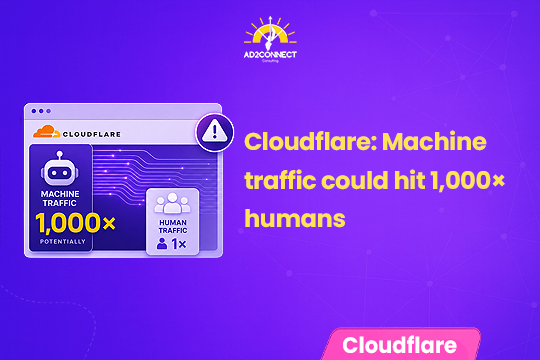
Cloudflare recently told investors that non-human traffic could grow to a thousand times human traffic within five years. That’s a big number. It’s also a number worth questioning, not just repeating.
Here’s why. A “bot visit” isn’t automatically a good thing or a bad thing. It depends entirely on who, or what, is behind it.
Some bots are helpful. Search engines need to crawl your site to rank it. AI tools need to read your content to cite it. Research archives need to collect pages to train models.
Other bots are not helpful at all. And the tricky part is, your analytics dashboard often can’t tell the difference.
What One Website’s Crawler Logs Actually Showed
A website owner and technical consultant decided to actually look at his own crawler data, instead of just trusting the summary numbers.
Over one 24-hour period, his site received about 3,000 crawler requests. Nearly a third of them failed to complete properly, a huge jump from before.
The single biggest source of traffic was labeled as belonging to a well-known, legitimate research archive. This organization crawls the web to build free datasets that many AI companies use to train their models. On the surface, that sounded completely normal for a website that publishes a lot of content.
Then he checked which pages it was actually asking for.
It Wasn’t Reading Content. It Was Hunting for Credentials
The requests weren’t for blog posts or articles. They were for files like login configuration folders, cloud service keys, environment variable files, and developer settings, the kind of files that store passwords and access tokens.
Across roughly a hundred different file paths like this, there were over a thousand requests. Not one of them touched anything the website owner had actually written.
Two of the requested files stood out as new. Both are configuration files used by AI coding tools and AI agents. That detail matters. It suggests whoever runs these scans has already updated their target list to include the exact files businesses now use to connect AI tools to their internal systems.
This is a textbook credential scanner. It works through a fixed list of common file locations on every website it visits, hoping to find one where a developer left something sensitive exposed. The website owner couldn’t fully verify who was really behind it, since confirming the exact source requires deeper server access than most business owners have. But what he could confirm is this: it was labeled as an AI crawler on his dashboard, sitting in the same list as genuinely helpful tools, and there was no separate alert or warning anywhere else on the site.
Why This Matters for Your Business, Not Just Developers
You might be thinking this sounds like a developer problem, not a marketing or business one. It isn’t, for two reasons.
First, if your website, app, or any connected tool has an exposed credential file, a scanner like this can find it. That’s a real security risk, regardless of your industry.
Second, and just as important, it changes how much you should trust raw “AI traffic” numbers. If a chunk of your AI crawler traffic is actually scanning for stolen credentials, then decisions based on that traffic count, like assuming AI tools are reading and citing your content heavily, could be based on the wrong picture entirely.
How to Check Your Own Site’s Bot Traffic
You don’t need to be a developer to get a basic read on this. A few simple checks go a long way.
- Look at your crawler or bot traffic report, most hosting and security tools show one.
- Don’t just look at the total number. Check which specific pages or files are being requested most often.
- Watch for requests to files with names like
.env,.git,login,config, orkey. These are common credential-scanning targets, not content pages. - If something looks off, involve your web developer or hosting provider to confirm and lock down any exposed files.
Real AI Crawlers vs Credential Scanners
| Factor | Legitimate AI Crawler | Credential Scanner |
|---|---|---|
| What it requests | Your actual pages, articles, product listings | Login files, API keys, config files |
| Pattern | Follows links, reads content in order | Works through a fixed list of file paths |
| Value to you | Can lead to AI citations and visibility | No value, pure security risk |
| Shows up as | Named crawler in your bot dashboard | Often mislabeled as the same named crawler |
| Action needed | Monitor, optionally allow | Block, and check for exposed files |
Mistakes That Look Like Strategy
Most businesses handle bot traffic in ways that feel proactive but leave real risk unaddressed:
- Treating every bot labeled “AI crawler” as equally safe or equally valuable
- Looking only at total bot traffic numbers instead of which files are being requested
- Assuming security tools automatically flag every risky bot request
- Never checking whether website or connected-tool credentials are exposed in the first place
- Reacting only after a breach, instead of reviewing crawler logs on a regular basis
- Blocking all bot traffic out of caution, which can also block search engines and AI tools you actually want visiting
How Ad2Connect Approaches AI Crawler and Site Security for Clients
At Ad2Connect, a full-service digital marketing agency in Mumbai working with SaaS, eCommerce, D2C, and local business clients, technical SEO health and site security go hand in hand. Before we recommend any AI visibility or GEO strategy, we check what’s actually crawling a client’s website, not just how much traffic the dashboard reports.
This connects to work we’ve covered elsewhere on this blog. A site carrying unresolved technical SEO debt is often the same site where nobody has reviewed crawler logs in months, and a business trying to measure its brand visibility in AI answers needs accurate crawler data to do that properly. Bad bot traffic quietly distorts both.
As one of the more established SEO agencies in Mumbai, we also work closely with clients through our performance marketing agency in Mumbai services to make sure paid traffic data isn’t being skewed by the same kind of bot noise. If you’ve never checked which bots are actually crawling your website, that’s exactly the kind of audit our technical SEO team runs for clients.
Key Takeaways
- Not every “AI crawler” in your analytics is actually helpful, or even AI. Some are credential scanners wearing a legitimate name.
- Total bot traffic numbers can be misleading. Check which specific files are being requested, not just the count.
- Credential scanners now target AI tool configuration files too. This includes files used by AI agents and coding assistants.
- This is a business risk, not just a developer issue. Exposed credentials and skewed AI traffic data both affect real decisions.
- A regular crawler log review is a simple, low-cost habit that most businesses currently skip entirely.
Ad2Connect is a digital marketing agency helping SaaS, eCommerce, D2C, and local businesses grow through data-driven SEO, performance marketing, and content strategy. If you’re not sure what’s really crawling your website, talk to our technical SEO team about running a bot traffic audit.