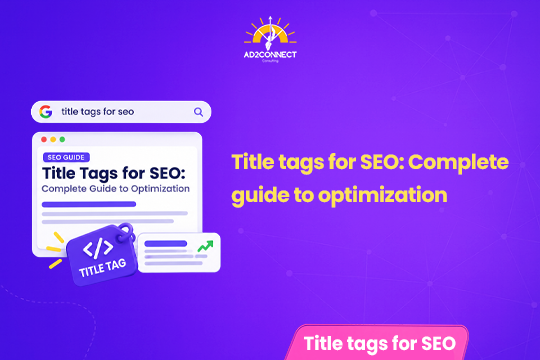
Title Tags for SEO: Complete Guide to Optimization
Everything you need to write, test, and optimize title tags that earn clicks, rankings, and AI Overview mentions.
By Snehal Singh | Updated: September 22, 2026
Quick Summary: A title tag is the short headline that shows up in Google search results, browser tabs, and social media links. Optimizing it means keeping it under roughly 55-60 characters, leading with your main keyword, and writing for humans rather than algorithms. In 2026, title tag optimization also affects whether AI Overviews and chatbots choose to cite your page, which makes it one of the highest-value, lowest-effort SEO tasks a business can do.
Table of Contents
- 1. What Is a Title Tag?
- 2. Why Title Tag Optimization Matters
- 3. Title Tag Length: The Optimization Sweet Spot
- 4. Step-by-Step: How to Optimize a Title Tag
- 5. Tools to Test and Optimize Your Title Tags
- 6. Title Tag Optimization in the Age of AI Overviews
- 7. Good vs. Bad Title Tags: A Quick Comparison
- 8. Mistakes That Look Like Strategy
- 9. How Ad2Connect Approaches Title Tag Optimization
- 10. Key Takeaways
- 11. Frequently Asked Questions
What Is a Title Tag?
A title tag is a short line of HTML code that tells both search engines and human readers what a particular web page is about, without requiring anyone to open the page first.
Think of it like a shop signboard positioned along a crowded market street, where dozens of competing storefronts are all trying to catch the same passerby’s attention within a single glance. A well-optimized title tag performs that exact function on the internet.
A title tag typically appears in three distinct places:
- As the clickable blue headline that shows up in Google search results.
- As the small text displayed on your browser tab.
- As the headline shown when someone shares your link on WhatsApp, LinkedIn, or Facebook.
Although a title tag is not technically the same as your H1 heading, the two often echo similar language. The H1 is the heading a visitor sees after landing on the page itself, whereas the title tag is what search engines and social platforms encounter first, before a visitor ever arrives.
Why Title Tag Optimization Matters
Title tags are a small ranking factor. Google has confirmed this for years. A page with a clear, keyword-rich, well-optimized title tag tends to do better than one with a vague or missing title.
But the bigger reason to optimize title tags is clicks. Two pages can rank in the exact same position, yet one gets three times more clicks simply because its title is more compelling.
Here is the part most small business owners miss: your title tag is now doing more work than ever before, because search results in 2026 are not just a list of ten blue links anymore. AI Overviews, chatbot answers, and voice assistants pull information from across the web and decide, often within a fraction of a second, which sources to mention by name and which to leave out; a title tag that clearly states what a page covers gives these AI systems an easy, low-risk reason to cite your business instead of a competitor’s, while a vague or keyword-stuffed title gives the algorithm every reason to skip you, which means the cost of poor title tag optimization today is not just a lower click-through rate on a normal search results page, it is the difference between being mentioned by name in an AI answer that a potential customer reads out loud, or not existing in that conversation at all.
That single shift is why title tag optimization deserves fresh attention, even if your titles have not changed in years.
Title Tag Length: The Optimization Sweet Spot
Google does not cut off titles based on a strict word count, since it actually measures pixel width, and that measurement shifts depending on which letters and characters you happen to use.
A dependable rule of thumb is to keep your title tag under roughly 55 to 60 characters, including spaces, which makes it far less likely to get cut off on either desktop or mobile devices.
Two failure points tend to show up at opposite extremes:
- Too short: The title feels vague and gives searchers no real reason to click through.
- Too long: Google truncates it with “…”, often cutting off precisely the word that mattered most.
Mobile screens display noticeably less text than desktop screens do, so if the majority of your traffic arrives from phones, it is worth testing your titles on a mobile preview before you publish anything.
Step-by-Step: How to Optimize a Title Tag
Optimizing a title tag takes both a little research and a little common sense. These steps work across almost any industry.
1. Research your keyword first
Before writing anything, check what already ranks for your target search term. This tells you what searchers expect and where you can differentiate.
2. Put your main keyword near the front
Since search engines and readers both scan from left to right, leading with your keyword or main topic makes the page’s relevance obvious within the first few words.
3. Use numbers and symbols, but only when they are accurate
Numbers such as “50% off” or “in 30 minutes” tend to boost clicks because they promise something concrete and specific. However, you should never use a number that ends up misleading the reader once they actually land on the page.
4. Say what the reader will get, not just what the page covers
Instead of a bland title like “Home Loan Information,” consider something closer to “Home Loan Guide: Rates, EMI, and Eligibility Explained,” since the second version tells the reader precisely what is waiting for them before they even click.
5. Avoid copying the question format everyone else relies on
Many websites now open their titles with phrases like “What is…” or “How to…”, and when nearly every competitor in your search results follows this pattern, a clear, confident statement can actually help your listing stand out instead of blending into the crowd.
6. Never stuff keywords into a single title
A title such as “Best SEO Company, SEO Agency, SEO Services Mumbai” looks spammy to both human users and Google’s algorithms, and it can even trigger Google to rewrite your title automatically, which means you lose control over how your page appears in the results.
7. Add your brand name where it helps trust
For homepages and key service pages, ending the title with your brand name, such as “| Ad2Connect,” can build recognition and trust over repeated impressions, especially for local searches.
8. Test, measure, and revise
Treat title tags as a living asset, not a one-time task. Check click-through rate in Search Console every few months and rewrite titles that consistently underperform their ranking position.
Tools to Test and Optimize Your Title Tags
You do not need expensive software for good title tag optimization. A few free tools make the process faster and more accurate.
- Google Search Console: Shows real click-through rate and average position for each page. This tells you which titles need work.
- A SERP preview tool: Lets you see how your title will look on desktop and mobile before you publish.
- A pixel-width checker: More reliable than counting characters, since it measures the exact space your title will occupy.
Title Tag Optimization in the Age of AI Overviews
AI Overviews, ChatGPT, and other AI search tools already pull from real web pages to build their answers. Many of them display the title tag directly, or use it to decide which source to name out loud in a voice answer.
This changes the optimization goal slightly. It is no longer only about winning the click. It is also about winning the mention.
To do this well, think about the full range of questions a searcher might have, not just the narrow keyword you are targeting. A title tag that covers the complete intent behind a search, instead of just one sliver of it, is more likely to get chosen as a trusted source.
Good vs. Bad Title Tags: A Quick Comparison
| Situation | Weak Title Tag | Optimized Title Tag |
|---|---|---|
| Local service page | Home | Company Name | Best SEO Agency in Mumbai | Ad2Connect |
| Product page | Red T-Shirts | Red T-Shirts for Men & Women | Sizes XS-XXL |
| Blog post | Which SEO Tool is Best? | 5 SEO Tools We Actually Use for Client Campaigns |
| Category page | SEO Company, SEO Agency, SEO Services Mumbai | SEO Services in Mumbai | Ad2Connect |
Mistakes That Look Like Strategy
Some title tag habits feel like smart SEO but quietly hurt your rankings and clicks.
- Stuffing every keyword variation into one title. It reads as spam and often triggers Google to rewrite it anyway.
- Copying a competitor’s exact title format. If everyone in the top 10 uses the same phrasing, you have no way to stand out.
- Writing the title once and never revisiting it. Search trends shift. A title that worked in 2023 may feel outdated today.
- Ignoring how the title looks on mobile. A title that reads perfectly on a laptop can get chopped off mid-sentence on a phone.
- Chasing clicks with clickbait. A title that overpromises leads to a quick bounce, which tells Google the page did not satisfy the searcher.
How Ad2Connect Approaches Title Tag Optimization
At Ad2Connect, title tag optimization never happens in isolation. It is treated as one piece of a larger on-page SEO plan, built around real search intent rather than guesswork.
As one of the Best SEO Agency in Mumbai, our team studies what searchers actually want before writing a single title, then tests different formats to see what genuinely improves click-through rate, not just rankings on paper.
Because title tags directly affect ad relevance scores and landing page quality too, our Performance Marketing agency team works closely with SEO to keep messaging consistent across paid and organic search.
For brands that need their titles to reflect a distinct voice and identity, our Creative Advertising Agency in Mumbai specialists help shape title language that stays true to the brand while still following SEO best practices.
The result is a title tag optimization process that is not just technically correct, but built to earn clicks and citations in a search landscape that keeps changing.
Key Takeaways
- A title tag is the clickable headline shown in search results, browser tabs, and shared links.
- Optimize titles to stay under roughly 55-60 characters to avoid truncation.
- Lead with your keyword, but write for humans, not just algorithms.
- Free tools like Search Console and a SERP preview checker make optimization easier and more accurate.
- AI Overviews and chatbots now use title tags to decide what to cite, raising the stakes.
- Never stuff keywords. It looks spammy and can trigger Google to rewrite your title anyway.
- Revisit and test your title tags regularly instead of setting them once and forgetting them.
If your title tags haven’t been reviewed in a while, now is a good time to start. Small optimization changes here often bring some of the fastest, most visible SEO wins available.