Google Confirms Search Console Bug Inflating Impression Data
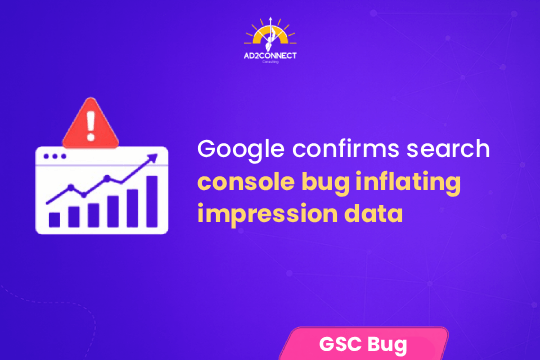
The Search Console bug inflated impression data by overcounting how often pages appeared in search results, leading to misleading SEO performance insights.
Google has officially confirmed a Search Console bug inflating impression data, causing unusual spikes in visibility metrics for many websites. If your impressions suddenly increased without a corresponding rise in clicks or traffic, this reporting issue is likely responsible.
Impressions are a critical SEO metric used to evaluate visibility and keyword reach. When this data becomes inaccurate, it can distort your analysis and lead to poor decision-making. In this guide, you’ll learn what caused the issue, how it impacts your SEO reports, and how to adjust your strategy effectively.
Table of Contents
- What Is the Search Console Impression Bug?
- Why Impression Data Was Inflated
- How This Affects SEO Metrics
- How to Check If Your Site Is Impacted
- What Google Said About the Issue
- How to Adjust Your SEO Strategy
- Practical Tips & Best Practices
- Common Mistakes to Avoid
- FAQs
- Conclusion
What Is the Search Console Impression Bug?
The Google Search Console bug caused inflated impression counts by incorrectly tracking how often pages appeared in search results.
- It is a reporting issue, not a ranking issue
- Clicks and traffic remain mostly accurate
- It affects performance interpretation
Why Impression Data Was Inflated
Impression data was inflated due to reporting inconsistencies that caused duplicate or inaccurate visibility tracking.
- Duplicate impression counting
- Misinterpreted search appearances
- Temporary system-level reporting issue
If impressions rise but clicks stay the same, your CTR will drop—even if performance hasn’t changed.
How This Affects SEO Metrics
Inflated impressions distort key SEO metrics, making performance appear inaccurate.
- Click-through rate (CTR)
- Keyword performance
- Search visibility trends
- Campaign reporting accuracy
This can lead to unnecessary optimization decisions or incorrect performance assumptions.
How to Check If Your Site Is Impacted
You can identify the issue by analyzing inconsistencies between impressions, clicks, and rankings.
- Review impression trends
- Compare impressions with clicks
- Analyze CTR changes
- Check keyword rankings
- Sudden spikes in impressions
- No increase in clicks
- Stable rankings
What Google Said About the Issue
Google has confirmed the reporting bug and is working to fix inflated impression data.
- The issue is limited to reporting
- Rankings are not affected
- Data corrections may occur
Historical data may be updated, and temporary inconsistencies may continue during the fix.
How to Adjust Your SEO Strategy
Focus on reliable metrics like clicks, conversions, and rankings instead of impressions alone.
- Prioritize clicks and user engagement
- Track conversions and ROI
- Monitor keyword rankings
- Analyze long-term trends
Experienced SEO professionals rely on multiple data sources to validate performance.
Practical Tips & Best Practices
A multi-metric approach ensures accurate SEO analysis during reporting issues.
- Cross-check data with Google Analytics
- Track conversions alongside traffic
- Monitor keyword rankings separately
- Analyze weekly and monthly trends
- Document anomalies
Quick Checklist
- ? Validate data sources
- ? Focus on clicks over impressions
- ? Monitor CTR trends
- ? Avoid reactive decisions
- ? Stay updated with Google announcements
Common Mistakes to Avoid
Overreacting to Impression Spikes
Not all spikes indicate real growth.
Ignoring Reliable Metrics
Clicks and conversions provide more accurate insights.
Misinterpreting CTR Drops
CTR may decline due to inflated impressions.
Making Immediate Changes
Wait for stable data before adjusting strategy.
Relying on a Single Data Source
Always validate performance using multiple tools.
Conclusion
The Search Console bug inflating impression data highlights the importance of interpreting SEO metrics carefully.
Impressions alone do not define performance. Instead, focus on clicks, conversions, and long-term trends to make informed decisions.
By validating your data and avoiding reactive changes, you can maintain a stable and effective SEO strategy even during reporting issues.