Content Decay in 2026: 4 Types That Are Quietly Killing Your Traffic (and the Exact Fix for Each)
Some pages just need a refresh. Others need a completely different strategy. Here’s how to tell which is which, using data you already have in Google Search Console.
By Ashish Tiwari | Published: July 17, 2026
AI Overview Summary
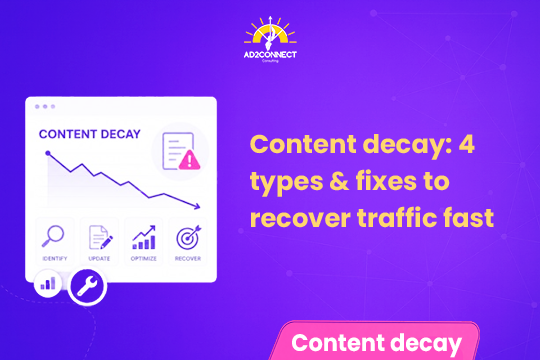
Content decay is a sustained drop in a page’s organic clicks and impressions over time. It comes in four distinct forms, each with its own data signature: ranking decay (you lost position to a competitor), zero-click capture (an AI Overview or SERP feature is answering the query before anyone clicks), intent drift (Google now prefers a different content format for the query), and demand decay (people simply stopped searching for the topic). Only ranking decay is reliably fixed by a traditional content refresh — the other three need a completely different response, and refreshing them wastes time and budget. You can diagnose which type you’re dealing with using six months of Google Search Console data and a simple clicks-impressions-position comparison.
Table of Contents
- What Is Content Decay, Really?
- Why the Old Content Decay Playbook Is Broken
- The 4 Types of Content Decay
- How to Diagnose Which Type You Have
- The Right Fix for Each Diagnosis
- Mistakes That Look Like Strategy
- How Ad2Connect Approaches Content Decay for Clients
- FAQ: Content Decay
- Key Takeaways
What Is Content Decay, Really?
Content decay is a sustained loss of organic clicks and impressions on a page, not a one-week dip. If a page’s traffic wobbles for a few days, that’s noise. If it trends downward over a quarter or more, that’s decay, and it deserves a real diagnosis before anyone touches the content.
For years, the accepted explanation had three causes: a competitor published something better, search intent shifted, or interest in the topic simply faded. That model still holds up, but it was built for a search results page that no longer exists. It never accounted for what happens when the answer shows up before the click does.
Why the Old Content Decay Playbook Is Broken
Google’s results page has changed more in the last two years than in the previous decade. AI Overviews now sit above organic listings on a huge share of informational queries, and they’re built specifically to answer the question without sending anyone anywhere.
The practical effect: a page can hold its ranking, keep its relevance, and still lose most of its clicks, because the answer got delivered on the results page itself. That’s a fourth failure mode the old three-cause model never had to explain, and it’s the one most teams still misdiagnose. They see falling clicks, assume the content is stale, and refresh a page that was never broken in the first place.
That’s the core problem with treating “traffic is down” as a single symptom with a single cure. It isn’t. It’s four different problems wearing the same disguise.

The 4 Types of Content Decay
Each type leaves its own fingerprint across clicks, impressions, and average position. Learn the fingerprints and you stop guessing.
1. Ranking Decay
Signature: Clicks down, impressions down, average position worse.
This is the classic case, and the only one a content refresh reliably solves. A competitor outranked you, the page went stale, you lost backlinks, or two of your own pages are quietly cannibalizing each other’s rankings.
2. Zero-Click Capture
Signature: Clicks down, impressions flat or rising, position stable or better.
This one confuses teams the most, because everything on the surface looks healthy. You’re ranking as well as ever, sometimes better, and clicks are still falling. That’s the fingerprint of an AI Overview, a featured snippet, or another on-page SERP feature answering the query before the user ever scrolls to your listing. A routine refresh does nothing here, because you never lost the ranking. You lost the click itself.
3. Intent Drift
Signature: Clicks down, position roughly holding, but the results page around you has visibly changed shape.
Google reinterpreted the query and now favors a different format: a comparison table instead of a narrative guide, a product page instead of a blog post, a video instead of an article. Your page is still relevant, technically. It’s just the wrong format for what the query wants now. This is the one metrics alone won’t catch — you have to look at the live results page.
4. Demand Decay
Signature: Clicks down, impressions down, position held or even improved.
This is the imposter. Nothing about your page’s performance got worse; the audience searching for the topic simply got smaller. A seasonal or news-driven page, or a guide for a product category people no longer buy into, isn’t coming back no matter how many times it’s rewritten.
How to Diagnose Which Type You Have
You don’t need an expensive toolset for this. Google Search Console and a spreadsheet get you most of the way there.
Pull two data sets for each page you suspect is decaying:
- Six months of monthly organic clicks — this shows you the trend.
- A three-month year-over-year comparison of clicks, impressions, and average position — this gives you the actual diagnosis.
Three months smooths out short-term noise, the year-over-year comparison cancels out seasonality, and both fit comfortably inside Search Console’s 16-month data window.
| Clicks | Impressions | Avg. Position | Diagnosis |
|---|---|---|---|
| Down | Down | Worse | Ranking decay |
| Down | Flat or up | Stable or better | Zero-click capture |
| Down | Down | Held or better | Demand decay |
| Down | Varies | Holding, but SERP reshaped | Intent drift (confirm on the live SERP) |
| Down site-wide, date-aligned | Down | Down | Algorithm update — a separate playbook entirely |
Before acting on any of it, run one sanity check: did the decline start right after you last edited the page? If yes, you likely didn’t catch decay — you caused it. Roll back to the previous version and compare before layering a refresh on top of a self-inflicted problem.
One data caution: impression data from 2025 is unreliable for year-over-year comparisons. Google removed a search parameter that had been inflating bot-driven impression counts, and separately disclosed a logging error that had been artificially inflating impressions since mid-2025 without correcting the historical numbers. Clicks weren’t affected, but if a page looks like demand decay with impressions down and position holding, check the live results page before you trust the impression drop. It may well be zero-click capture wearing a demand-decay disguise.
Two optional upgrades sharpen the diagnosis without changing it:
- Add GA4 data to prioritize by revenue or conversions per page, not just lost clicks.
- Add a rank tracker with SERP feature monitoring to confirm zero-click capture across hundreds of pages at once instead of manually checking each result.
The Right Fix for Each Diagnosis
Once you know the type, the fix stops being a guess.
Ranking decay: refresh with information gain, not a new date
Swapping the publish date and adding a few hundred words rarely moves a page that’s slipped because a competitor genuinely outdid it. What works instead:
- Add what the current top-ranking pages cover that yours doesn’t — original testing, a proprietary data point, or the follow-up question competitors ignore.
- Check who actually outranks you before you rewrite. If a forum thread now holds your old spot, you’re competing against a format, not a competitor’s writing quality.
- Consolidate cannibalizing URLs into a single, stronger page and rebuild the internal links pointing to it.
Zero-click capture: stop competing with the answer box
You can’t out-refresh an AI Overview. Instead:
- Build something the answer box genuinely can’t replace — a calculator, an original data set, a distinct point of view.
- Structure the page cleanly enough to be the source an AI Overview or answer engine actually cites, since ranking well no longer guarantees being the cited source.
- Recognize when a query’s click is simply gone for good, and shift effort to a nearby page closer to conversion, like a service or comparison page people still click through to.
- If demand for the topic has moved to forums, YouTube, or social platforms, meet it there as a separate content effort rather than patching the original page.
Intent drift: match the format, don’t rewrite the words
- Rebuild the page in the format the results page is now rewarding — a comparison table, a video, a product listing — or split it into the formats being asked for.
- Keep the existing URL to preserve its accumulated authority.
- Recheck quarterly. Results pages are shifting formats more frequently than they used to.
Demand decay: usually, do nothing to the content itself
- Confirm the demand actually disappeared rather than moved. A falling trend line sometimes means the audience relocated to AI assistants, social search, or video, not that it vanished.
- If an audience still exists elsewhere, build a presence on that surface instead of touching the original page.
- If demand is genuinely gone, consolidate the page into a broader one that still gets searched, redirect it, or remove it. An outdated page with no recoverable demand adds noise, not value.
Mistakes That Look Like Strategy
Most wasted content effort traces back to a short list of reflexes:
- Treating every traffic drop as a content problem, without checking which type it actually is.
- Changing the publish date with nothing meaningful behind it.
- Padding word count instead of adding genuine depth. Length was never the ranking factor — thoroughness was.
- Refreshing a demand problem that no rewrite can solve.
- Refreshing too frequently to actually measure whether a change worked. Give an update a full quarter before touching it again.
- Rewriting a page you accidentally broke, instead of simply restoring the version that worked.
How Ad2Connect Approaches Content Decay for Clients
At Ad2Connect, this diagnostic sits at the center of how we run SEO and analytics strategy for clients across SaaS, eCommerce, D2C, and local businesses. Before we recommend a rewrite, a redirect, or a completely new format, we pull the Search Console data, classify the decay type, and prioritize pages by recoverable traffic and business value — not by which page simply looks the oldest.
That diagnosis often overlaps with the fundamentals covered in our guide on how to prioritize technical SEO for real results, since a page mistaken for content decay is sometimes actually a crawling or indexing issue underneath. For teams managing this across a large site, our breakdown of AI-powered Google Search Console reports shows how to spot these patterns faster at scale, and pairs well with a broader performance marketing strategy so the pages worth saving actually convert once the traffic comes back.
That’s the difference between an SEO retainer that keeps refreshing pages that were never coming back, and one that spends effort only where the data says it will actually move the needle. If you’re seeing traffic slide across your blog or service pages and aren’t sure which of the four types you’re dealing with, that’s exactly the kind of audit our SEO and analytics team runs for clients.
Key Takeaways
- Diagnose before you refresh. Falling clicks have at least four distinct causes, and only ranking decay is reliably fixed by rewriting content.
- Watch impressions and position, not just clicks. Clicks tell you a page is declining; impressions and position tell you why.
- Know when not to act. Demand decay and self-inflicted drops need a different decision than a rewrite, not more editing.
- Confirm ambiguous cases on the live results page. A pattern that looks like demand decay is sometimes zero-click capture in disguise.
- Make it a quarterly habit, not a reactive fire drill triggered only after a page has lost most of its traffic.
Ad2Connect is a digital marketing agency helping SaaS, eCommerce, D2C, and local businesses grow through data-driven SEO, performance marketing, and content strategy. If you’re not sure why a page’s traffic is falling, talk to our SEO team about running a content decay audit.
About the Author
Ashish Tiwari writes on SEO, search behavior, and content strategy for Ad2Connect.