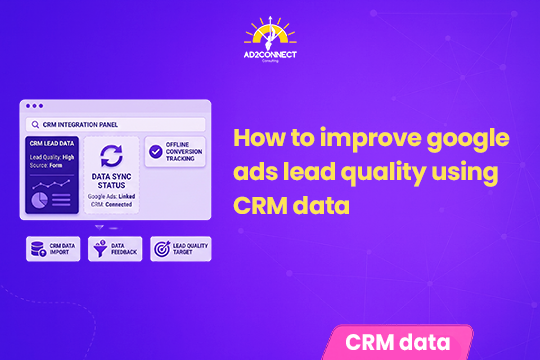
How to Improve Google Ads Lead Quality Using CRM Data
A rising conversion count feels like a win — until half those leads never pick up the phone. Here’s how to teach Google Ads what a real customer actually looks like.
By Snehal Singh | Published: August 23, 2026
AI Overview Summary
You can improve Google Ads lead quality using CRM data by sending real business outcomes — not just form submissions — back into the platform. This means connecting your CRM to Google Ads through enhanced conversions or offline conversion imports, so the platform learns which clicks actually became qualified leads or paying customers. Once that data flows back consistently, value-based bidding strategies like Maximize Conversion Value or Target ROAS can shift budget toward the prospects most likely to convert, instead of chasing raw form-fill volume. The process comes down to three steps: connect the data, define what “qualified” means for your business, and assign each stage a realistic value.
Table of Contents
- Why Your CRM Holds the Answer
- What CRM Integration Actually Fixes
- Step 1: Connect Your CRM to Google Ads
- Step 2: Define What a Qualified Lead Means
- Step 3: Assign Values and Turn On Value-Based Bidding
- Timing Windows You Can’t Afford to Miss
- Common Integration Problems to Watch For
- Volume-Based vs. Value-Based Bidding
- Mistakes That Look Like Strategy
- How Ad2Connect Approaches Google Ads Lead Quality for Clients
- Key Takeaways
Why Your CRM Holds the Answer
Two people can fill out the exact same form on your website. One becomes a paying customer within weeks. The other never responds to a single follow-up call.
To Google Ads, both look identical. It sees a form submission, counts it as a conversion, and optimizes toward getting you more of the same.
This is the gap most businesses running lead-generation campaigns never actually close, and understanding why it happens is worth spelling out in full: the moment a form gets submitted is typically the last data point Google Ads ever sees, because everything that happens after that — a sales call, a qualification conversation, a proposal, a signed contract — takes place entirely inside your CRM, in a system Google Ads has zero visibility into; so the algorithm keeps chasing whatever produced that original form fill, treating a genuinely qualified prospect and someone who submitted a form out of idle curiosity as the same event worth repeating, and the only way to break that cycle is to feed real outcomes from your CRM — who actually became a qualified lead, who actually became a customer — back into Google Ads, so Smart Bidding finally has something real to optimize toward instead of a raw click count.
What CRM Integration Actually Fixes
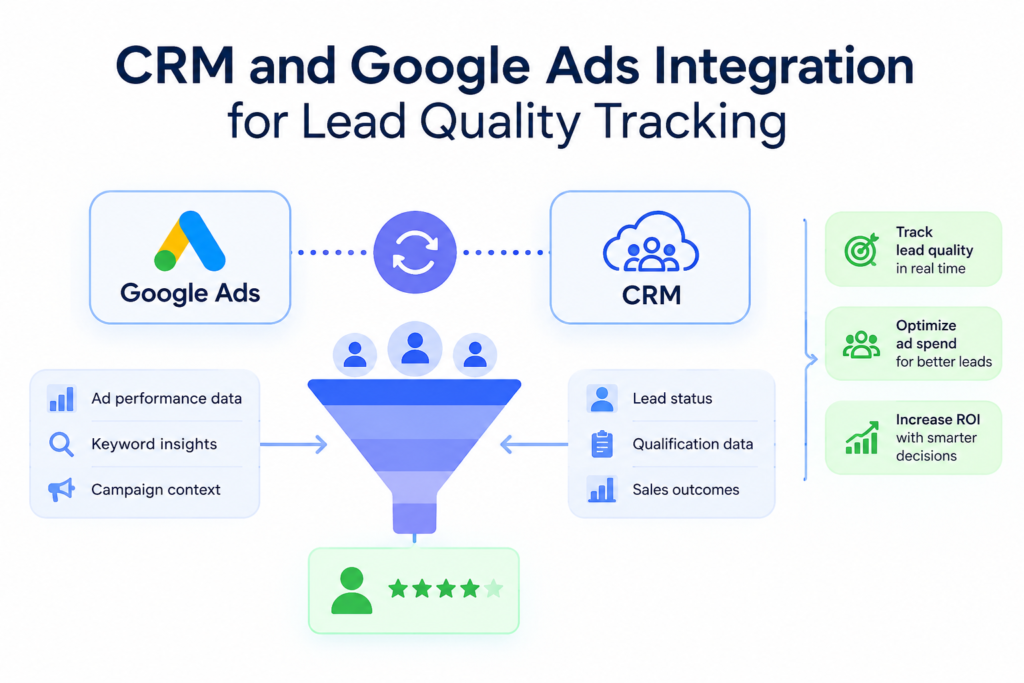
Connecting your CRM to Google Ads isn’t just a reporting upgrade. It changes how the algorithm itself makes decisions.
Here’s what it accomplishes:
- Attributes offline outcomes — qualified leads, closed sales — back to the exact ad click that started them.
- Enables value-based bidding by assigning different conversion values to different funnel stages.
- Gives marketing and sales a shared, accurate view of which campaigns actually drive revenue, not just clicks.
Step 1: Connect Your CRM to Google Ads
The first step is capturing the right information at the exact moment someone fills out your form.
What you need to capture:
- The GCLID (Google Click ID), which links a form submission back to the specific ad click that caused it.
- First-party data like email or phone number, which supports enhanced conversions even when the GCLID isn’t available.
Once your landing pages and CRM are capturing this correctly, you have a few ways to send data back to Google Ads:
- Automated imports through the Google Ads API or Data Manager.
- Native platform integrations with tools like Salesforce or Zoho.
- Scheduled file uploads, for teams without a direct integration set up yet.
Automated, regular uploads work best. They keep Smart Bidding responsive to fresh data and reduce the manual errors that come with periodic spreadsheet uploads.
Step 2: Define What a Qualified Lead Means
Before you can optimize for quality, sales and marketing need to agree on what quality actually looks like. This step gets skipped more often than it should.
Keep the initial scoring simple:
- Not qualified — doesn’t meet your basic criteria for a real prospect.
- Qualified lead — meets your agreed criteria and is genuinely worth sales team time.
- Customer — the deal actually closed.
Set up a separate conversion action in Google Ads for each stage. This keeps your reporting clean and gives you full control over exactly which stage feeds into your bidding strategy.
Step 3: Assign Values and Turn On Value-Based Bidding
Once each funnel stage has its own conversion action, assign each one a realistic monetary value based on what it’s genuinely worth to your business.
For example, a qualified lead might represent an estimated ?4,000 in pipeline value, while a closed sale might be worth ?4,00,000. With those values in place, bidding strategies like Maximize Conversion Value or Target ROAS can push your budget toward the campaigns and keywords producing your highest-value outcomes, not just the highest number of leads.
If closed sales are relatively rare for your business, it’s often smarter to optimize toward qualified leads first, until Google Ads has gathered enough closed-sale data to bid on that signal effectively.
Timing Windows You Can’t Afford to Miss
Attribution has a shelf life, and missing the window means Google Ads simply can’t connect the dots between an offline outcome and the original ad click.
Conversions using GCLID generally need to be uploaded within 90 days. Conversions relying on personal identifiers for enhanced conversions typically need to be uploaded within 63 days.
If your sales cycle regularly runs longer than these windows, build in an intermediate conversion event — like a “qualified lead” stage with a shorter timeline — so Smart Bidding still has a usable signal while the longer deal plays out offline.
Common Integration Problems to Watch For
- Missing GCLID: Confirm your landing pages store the GCLID with the form submission, and that your CRM captures it reliably every time.
- Parameter loss in redirects or third-party forms: Test the full path end to end and verify the GCLID or first-party data actually reaches your CRM record.
- Upload rejections: Use Google’s upload result files to catch and fix rejected rows, like mismatched accounts or timestamps that precede the original click.
- Duplicate conversions: Google deduplicates by GCLID, conversion name, and conversion time. If you need multiple events for the same GCLID, make sure each has a unique timestamp.
Volume-Based vs. Value-Based Bidding
| Factor | Volume-Based Approach | Value-Based Approach |
|---|---|---|
| What Google optimizes for | More form submissions | Higher-value qualified leads and sales |
| Data source | Website conversion tracking only | CRM outcomes fed back via enhanced conversions |
| Bidding strategy | Maximize Conversions | Maximize Conversion Value / Target ROAS |
| Risk | Attracts high volume, low-quality leads | Requires clean, consistent CRM data to work well |
| Best for | Very early-stage campaigns with little data | Established accounts with reliable CRM tracking |
Mistakes That Look Like Strategy
- Celebrating rising conversion counts without checking whether those conversions ever became real customers.
- Letting the GCLID get lost in redirects or third-party form tools, breaking attribution before it even starts.
- Uploading conversion data too infrequently for Smart Bidding to actually learn from it.
- Assigning conversion values that don’t reflect what a lead or sale is genuinely worth to the business.
- Switching straight to value-based bidding without enough closed-sale data for the algorithm to work with.
- Treating marketing and sales data as two separate systems that never talk to each other.
How Ad2Connect Approaches Google Ads Lead Quality for Clients
At Ad2Connect, one of the leading performance marketing agencies in Mumbai, closing the gap between ad spend and actual sales outcomes sits at the center of how we run performance marketing campaigns for clients. As a top performance marketing agency in Mumbai, India, we don’t stop at tracking form submissions — we work with client CRMs to feed qualified-lead and closed-sale data back into Google Ads, so Smart Bidding learns from real business outcomes instead of raw conversion counts.
This CRM-to-ads connection matters just as much for local SEO services in Mumbai clients relying on Google Ads to drive footfall and phone calls, as it does for larger, multi-market accounts. Our team, recognized among the best performance marketing agencies in Mumbai and India, pairs this data-driven bidding approach with our SEO and branding work, so every campaign is grounded in the same brand story and measured against the same definition of a genuinely qualified lead.
Key Takeaways
- Lead volume and lead quality are not the same thing. Google Ads only optimizes for what it can actually measure.
- Enhanced conversions and offline imports close the loop. They let real CRM outcomes flow back into Google Ads.
- Define your funnel stages clearly. A shared definition of “qualified” between sales and marketing is the foundation of this entire process.
- Assign realistic conversion values. Value-based bidding only works as well as the values you feed it.
- Watch your upload windows. GCLID and enhanced conversion data both have strict time limits for accurate attribution.
Ad2Connect is a boutique digital marketing agency in Malad, Mumbai, helping SaaS, eCommerce, D2C, and local businesses turn ad spend into real revenue through data-driven performance marketing and SEO. If your Google Ads leads aren’t converting the way your dashboard suggests, talk to our team about a CRM and conversion tracking audit.