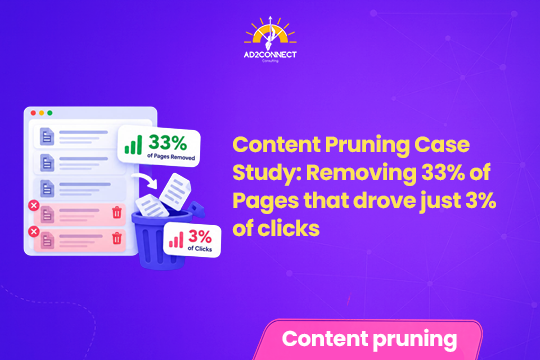
Content Pruning Case Study: Removing 33% of Pages That Drove Just 3% of Clicks
One small website removed 198 pages that nobody needed. Here is what the numbers show, what they do not prove, and how to prune your own site without regrets.
By Snehal Singh | Published: October 24, 2026
AI Overview Summary
Content pruning means deciding, page by page, whether to improve, merge, redirect, or remove weak content. In one recent case study, an SEO crawled 600 pages in December 2024 and cut 198 of them in January 2025. Those pages had earned only 144 clicks, about 3.1% of the site’s total, and 140 of them had never earned a single click. Afterwards, clicks rose 37%, sessions rose 55%, and top 10 rankings rose 3%, with no measurable loss in rankings from the removed pages, although the author warns that one chart going up does not prove pruning caused the growth. The case also shows that some thin pages had to stay live while others could be rebuilt, so the safe approach is to sort pages by purpose first and only then decide what to cut.
Table of Contents
- What Is Content Pruning?
- The Case Study at a Glance
- What Was Pruned and Why
- How the Pruning Was Done in Phases
- The Surprise: Keeper Pages With Zero Clicks
- Thin Pages That Were Worth Saving
- Did Pruning Really Cause the Growth?
- How to Prune Your Own Website Safely
- What to Do After You Prune
- Mistakes That Look Like Strategy
- How Ad2Connect Approaches Content Pruning for Clients
- Key Takeaways
- Frequently Asked Questions
What Is Content Pruning?
Think of your website like a garden that collects pages over the years which nobody visits, nobody needs, and nobody remembers writing. Content pruning means cutting those weak pages back so the healthy ones can grow, and for each weak page you pick one of a few simple actions: improve it, merge it with another page, redirect it, or remove it.
The goal is to remove or improve content that no longer supports your business, such as pages that no longer reflect what you do or fail to bring in traffic or enquiries, and while the idea is not new, good proof is rare, which is exactly what makes this case study worth reading.
The Case Study at a Glance
The website in this case study is small and has a long sales cycle, and at the time more than 80% of its organic clicks came from people typing the brand name into Google. In December 2024, an SEO crawled 600 pages and marked 198 of them, a third of the crawl, for removal.
Those 198 pages had earned just 144 clicks between them, which is about 3.1% of the site’s clicks, and after the cleanup the results looked impressive:
| Measure | What Changed |
|---|---|
| Pages crawled | 600 |
| Pages removed | 198 (a third of the crawl) |
| Clicks earned by those 198 pages | 144 (about 3.1% of all clicks) |
| Removed pages that never earned a click | 140 |
| Clicks after pruning | Up 37% |
| Sessions after pruning | Up 55% |
| Top 10 rankings | Up 3% |
One more number stands out: just two pages, the homepage and the client login page, drove 62% of every click in the crawl, which shows how concentrated the traffic of many small websites really is.
What Was Pruned and Why
The author removed four kinds of pages, and he makes a sharp point about all of them: not one was written for a human being with a question. Examples included old event pages, recap posts, and 51 customer logo pages of only about 94 to 156 words each, which were unpublished and redirected.
The test was simple: did anyone, inside or outside the company, actually need the page, and for these pages the honest answer was no. Of the 198 pages cut, 140 had never earned a click, so the cost of removing them was close to zero.
How the Pruning Was Done in Phases
The work was not a single big delete. It was split into phases, and each phase had its own rule:
- Cut (January 2025): the 198 pages that nobody inside or outside the company needed were removed.
- Hold: pages the business needed to keep live stayed live, but they received a noindex tag so search engines would leave them out of results.
- Rebuild: thin pages with real substance trapped inside were added to the content roadmap to be improved.
This is the practical heart of the case: pruning is not a simple choice between keeping and deleting, because it gives you at least three options and the right one depends on each page’s purpose.
The Surprise: Keeper Pages With Zero Clicks
Here is where the story gets interesting, because the team kept 386 pages, yet 213 of those pages also had zero clicks, so zero clicks alone did not decide a page’s fate. Product pages and case studies, for example, can serve a real purpose even when Google sends them little traffic, because visitors may find them in other ways, and the author’s own summary is that clicks told the team where to look, not what to do.
Thin Pages That Were Worth Saving
One phase dealt with 67 thin pages that the business needed to keep, while other thin pages had real substance trapped inside them and were moved onto the content roadmap to be rebuilt.
The most useful lesson in this case study is that a page with thin content is not always a page to delete, because a group of 24 podcast pages that looked like the worst content on the site moved from an average position of 17.3 to 9.0, which shows that the real question is never only how little traffic a page gets today, but whether the page has a real purpose, whether it carries something valuable that can be improved, and whether removing it would hurt customers, sales teams, or the people who still need it, so every page deserves a quick decision on its purpose before anyone clicks the delete button.
The author closes with a bigger question about why the website keeps making pages that nobody wants, which makes pruning a mirror for your whole content process.
Did Pruning Really Cause the Growth?
The author deserves credit for asking this question himself, since he says he does not trust any pruning case study that shows a single chart going up and to the right. He is right to be careful, because many things can change at once on a website, such as new content, seasonal demand, ranking updates, or more brand searches, and pruning may be one reason traffic rose without being the only one.
What the data does support is a more modest claim: removing a third of the crawled pages cost the site about 3% of its clicks, with no measurable loss in rankings, and it made the growth easier to see and easier to earn.
Also remember that this site was small and most of its clicks were branded searches, so your own results may look considerably different. Google has also said that deleting content just because it is old will not help much on its own, and that improving content is often better than removing it.
How to Prune Your Own Website Safely
Step 1: List Every Page and Record Your Baseline
Export all the pages from your site and add clicks, impressions, and links from the last 12 months, which Search Console and your analytics tool can supply. Save your starting numbers, such as organic traffic and your most-clicked keywords, so you can compare results later.
Step 2: Sort Pages by Purpose
Do not sort only by clicks, and instead mark each page as one of these: a page that earns traffic, a page that supports sales, a page you must keep for legal or business reasons, or a page with no clear purpose whatsoever.
Step 3: Pick One Action for Each Weak Page
Use the following simple guide to match each situation with a sensible action:
| Situation | Best Action |
|---|---|
| Thin page with real value inside | Improve it or add it to the content roadmap |
| Several pages cover the same topic | Merge them into one stronger page |
| Old page with useful links pointing to it | Redirect it to the closest relevant page |
| Page the business needs but search does not | Keep it live and add a noindex tag |
| Page with no purpose, no links, and no visitors | Remove it |
Step 4: Check Before You Cut
Ask the teams that use the website, such as sales and support, because a page that looks dead in analytics may still be sent to clients every week.
What to Do After You Prune
Pruning does not end when the pages disappear, and a few follow-up jobs help to protect the gains:
- Fix internal links. Remove links that point to deleted pages, or point them to the closest live page.
- Track results for months. Compare your numbers with your starting baseline, because search engines need time to settle before you can judge the changes.
- Fix the cause. Ask why weak pages were created, and add an approval step so the clutter does not return.
Mistakes That Look Like Strategy
These habits feel efficient, but they quietly cause real damage to your search visibility:
- Deleting every page that has zero clicks.
- Pruning based on one month of data.
- Forgetting redirects for pages that have useful links pointing to them.
- Cutting thin pages that could have been rebuilt into good content.
How Ad2Connect Approaches Content Pruning for Clients
At Ad2Connect, a boutique digital marketing agency in Malad, we never prune by spreadsheet alone. We sort every page by its purpose, check who relies on it, and choose between improving, merging, redirecting, noindexing, and removing before anything is deleted.
As a best SEO agency in Mumbai for growing businesses, we pair pruning with a clear content roadmap, so the pages that stay get stronger and the pages that go do not leave gaps in your search presence.
Fewer, better pages also make paid campaigns work harder because visitors land on clearer destinations, which is why content cleanup and the approach of a performance marketing agency in Mumbai work so well together.
Key Takeaways
- Pruning is a cleanup, not a miracle. It helps your best pages stand out, but it cannot replace consistently great content.
- Many weak pages cost almost nothing to remove. In this case, 140 of the 198 had never earned a click.
- You have more than two options. Cut, hold with a noindex tag, or rebuild.
- Be careful with cause and effect. Other changes on the website may also explain the growth you see.
- Fix the cause, not just the clutter. Ask why unwanted pages keep getting created.
Ad2Connect is a digital marketing agency helping brands grow through data-driven SEO, performance marketing, and content strategy. If your website has pages you are unsure about, talk to our team about a content audit and pruning plan.