Google Canonicalization Fixes: Why SEO Takes 2 Weeks
Google indexing delay canonical fix: What Mumbai businesses must know to recover rankings faster
Table of Contents
- Introduction
- Google canonicalization fixes SEO
- Summary
- Deep Dive
- Case Study
- Expert Insights
- Actionable Checklist
- Conclusion
Introduction
You fixed your SEO issue… but your rankings didn’t move.
That’s exactly what frustrates most small and medium business owners in Mumbai. You invest in SEO, fix technical issues like canonical tags, and expect leads to increase—but traffic stays flat for days (or weeks).
Meanwhile, ad costs keep rising, and your ROI feels unpredictable.
What you actually want is simple: consistent rankings, steady leads, and measurable returns from SEO.
This article breaks down why Google canonicalization fixes take time—and how to turn this delay into a growth opportunity instead of lost revenue.
Google canonicalization fixes SEO
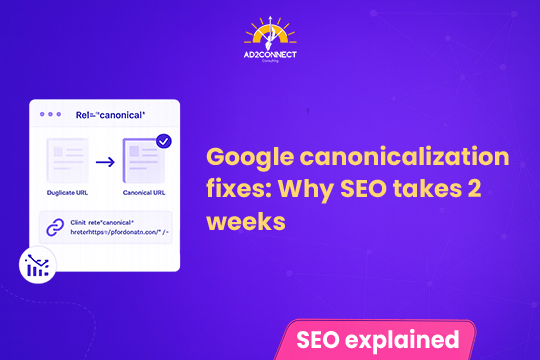
Google canonicalization fixes can take up to two weeks because Google needs time to re-crawl pages, reprocess duplicate content clusters, and reassign the correct canonical URL.
- Google re-evaluates duplicate signals
- Pages remain in temporary clusters
- Rankings may not change immediately
This delay is expected and does not mean your fix failed.
Summary
- Canonical fixes take up to 2 weeks to reflect
- Google must reprocess duplicate page clusters
- Rankings may stay flat temporarily
- Poor implementation can extend delays
- Strategic optimization can speed up recovery impact
Deep Dive
Why This Happens
When you fix canonical tags, Google doesn’t instantly trust the change. It runs a validation process:
- Crawls updated pages
- Compares duplicate versions
- Rebuilds clustering signals
- Selects the strongest canonical
For websites with multiple service pages (common in digital marketing agency in Mumbai setups), this becomes slower due to overlapping content and URL variations.
Common Mistakes That Delay Recovery
1. Treating Canonical as a Quick Fix
Most businesses assume adding a tag solves everything. It doesn’t.
2. Mixed Signals Across Website
- Canonical says one URL
- Internal links point elsewhere
- Sitemap shows duplicates
3. Thin or Similar Content
If two pages look nearly identical, Google may ignore your canonical.
4. Frequent Changes
Changing URLs or canonicals repeatedly resets the evaluation cycle.
Step-by-Step Fix Strategy
Step 1: Clean Canonical Setup
- Add self-referencing canonical
- Ensure only one preferred version
Step 2: Align All SEO Signals
- Internal links point to the same URL
- Sitemap includes only canonical pages
- Redirect duplicates
Step 3: Use Search Console Smartly
Request indexing only for key pages.
Step 4: Strengthen Page Authority
- Add internal links
- Improve content depth
- Build backlinks
Step 5: Monitor the Right Metrics
- Index coverage
- Impressions
- Keyword movement
Case Study
A service-based client came to us with week SEO performance.
Situation
- 80+ duplicate service URLs
- Conflicting canonical tags
- Traffic stuck at 2,800/month
- Leads inconsistent
What We Did
- Canonical restructuring
- URL consolidation
- Internal linking correction
Timeline
- Week 1: No visible improvement
- Week 2: Indexing corrected
- Week 4: Rankings improved
Results After 60 Days
- Traffic: 2,800 ? 7,400/month
- Leads: +120% growth
- Cost per lead: Reduced by 42%
Expert Insights
Here’s what most SEO blogs won’t tell you:
Canonical issues are rarely the real problem.
In many campaigns for businesses like a Best SEO Company in Mumbai or creative advertising agency in Mumbai, we found:
- Internal linking overrides canonical signals
- Category pages compete with service pages
- Homepage steals authority
Advanced Strategy
Instead of just fixing canonical:
Create signal dominance for your preferred page
- Increase internal links to that page
- Use consistent anchor text
- Expand content depth
Actionable Checklist
- Add self-referencing canonical tags
- Remove duplicate URLs from sitemap
- Fix internal linking mismatches
- Redirect duplicate pages (301)
- Avoid frequent URL changes
- Improve content uniqueness
- Build backlinks to main page
- Track indexing weekly
Conclusion
Google’s 2-week delay in processing canonical fixes isn’t a problem—it’s a process.
The real issue is misunderstanding how SEO works.
Businesses that win are the ones that fix issues correctly, strengthen signals, and stay consistent.
If done right, this delay becomes your advantage—not your setback.