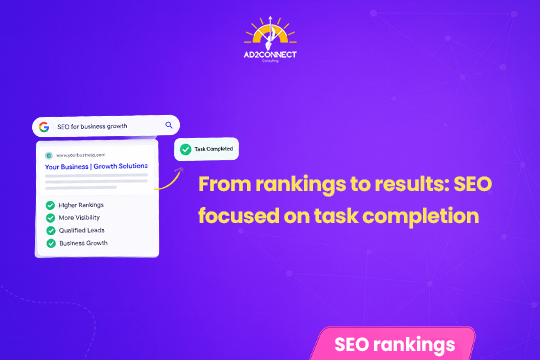
A high ranking only earns a click. What happens after that click, whether visitors actually finish what they came to do, is what turns SEO into real business results.
Quick Summary: Ranking #1 on Google only gets a visitor to your page, it doesn’t guarantee results. If that page doesn’t help them finish what they came to do, book a demo, check a price, fill a form, they leave, and Google notices. This guide breaks down a simple 5-step framework for moving from rankings to results, so your SEO effort turns into real conversions, not just traffic numbers.
Table of Contents
- The Real Problem: High Rankings, Low Results
- Why Google Cares About What Happens After the Click
- Step 1: Write a Task Statement for Every Page
- Step 2: Map the Path to the Finish Line
- Step 3: Build the Page Around the Task
- Step 4: Measure Completion, Not Just Rankings
- Step 5: Make It a Repeatable Process
- Rankings vs. Results: A Quick Comparison
- Mistakes That Look Like Strategy
- How Ad2Connect Approaches Task Completion SEO
- Key Takeaways
- FAQs
The Real Problem: High Rankings, Low Results
Imagine ranking #1 on Google for a keyword your business really cares about, the top spot, exactly where every SEO report says you should want to be.
Then you check the leads or sales from that page, and there’s almost nothing there, even though the clicks keep coming in.
Usually, the ranking isn’t the problem; the page is. Maybe the “Contact Us” button sits buried under three scrolls of company history, or the price stays hidden until page four.
Google did its job by sending the visitor to you, but your page didn’t do its job of helping that visitor finish what they came to do.
This gap between good rankings and weak results has a name: a task completion problem, and it’s one of the most common, most overlooked issues in SEO, mainly because most teams still measure success by rank position alone.
Nobody searches Google just to admire a ranking. People search because they want to get something done, so if your page doesn’t help with that job, the ranking was just an expensive way to say goodbye to a visitor. Moving from rankings to results starts with accepting that a ranking is only step one.
Why Google Cares About What Happens After the Click
Here’s the part most business owners don’t realise: a failed visit doesn’t just cost one lead, it quietly teaches Google to rank you lower.
When someone clicks your result and immediately hits back to try another site, Google’s ranking systems notice. One system, known as Navboost, separates “good clicks” (the visitor stays) from “bad clicks” (they bounce right back).
Pages that collect too many bad clicks on a search term slowly lose the trust that kept them ranking well in the first place, which means a page that fails to help visitors complete their task isn’t just losing conversions today, it’s actively training Google’s algorithms to push it further down the results page tomorrow, and because this feedback loop repeats every time someone visits and leaves unsatisfied, the damage compounds until a page that once ranked comfortably on page one starts sliding toward page two without anyone on the marketing team quite understanding why.
On top of that, AI Overviews now answer many simple questions directly on the results page, so fewer people click through at all. Click-through rates on AI Overview searches dropped as low as 1.3% in December 2025 before recovering to 2.4% by February 2026, still well behind the roughly 3.8% rate on regular searches.
In short, the people who do click through today are more likely ready to act, so turning that traffic into results is fast becoming the whole game.

Step 1: Write a Task Statement for Every Page
Before changing a single headline or button, answer one question honestly: what is this person actually trying to do, not what words did they type into Google. Mixing up those two things is where a lot of decent web pages go wrong.
Someone searching “CRM software pricing” isn’t looking for a features list; they’re building a budget to show their manager, and vague “starting from” language sends them elsewhere within seconds.
A simple fix: write a one-line task statement for every important page. For “best CRM for a small sales team,” the task isn’t “learn about CRM software,” it’s closer to: find a tool that fits our team size and budget, with enough proof to convince my boss.
That one sentence tells you exactly what the page needs: a clear recommendation, some proof, and an easy way to book a demo.
Step 2: Map the Path to the Finish Line
Once you know the task, trace the actual steps someone takes to finish it, from the click all the way to the goal.
Say someone lands on a local service page. A realistic path looks like this: check if you serve their area, see the price range, then request a callback, and each of those three steps is a point where you either move the visitor forward or lose them for good.
Map that path out clearly, and the problems usually surface fast: pricing missing entirely, a callback form asking for ten fields when three would do, or an “areas we serve” list sitting on a completely different page with no link connecting the two.
You can’t fix a problem you haven’t found, which is why mapping always comes before any redesign or rewrite.
Step 3: Build the Page Around the Task
Once you have the task statement and the path, building the page comes down to three simple rules: answer fast, remove friction, and make the next step obvious.
Lead with the answer
If someone wants pricing, show it near the top. If they want to know whether you cover their city, say so in the first screen. Extra detail can live further down, but don’t make anyone scroll nine paragraphs to check if you’re the right fit.
Cut the friction
Slow-loading pages are friction with a stopwatch attached; if your main image or headline takes longer than 2.5 seconds to load, people leave before they see your offer. Forms matter too: asking for a job title and fax number when you only need a name and phone number is friction disguised as “qualifying leads.”
Give one clear next step
Not five links fighting for attention, one. A pricing page needs a single “Get a Quote” button, easy to see without scrolling. Too many competing buttons doesn’t give visitors more choice; it usually confuses them into clicking nothing at all.
None of this sits outside SEO anymore. Making a page easier to use and making it rank better have quietly become the same job, and that’s exactly where rankings start turning into results.
Step 4: Measure Completion, Not Just Rankings
Rankings and traffic only tell you people showed up; they don’t tell you whether anyone got what they came for, and that gap can quietly feed back into your rankings over time too.
Widen your reporting to include bounce rate, scroll depth, time on page, and actual conversions, right next to your rank tracker.
Completion looks different on every page. A blog post “completes” when someone reads to the end and clicks another article. A product page completes at purchase. A pricing page completes when someone requests a quote. Pick the signal that matches each page’s job.
One tactic most teams miss: check completion by search term, not just by page. A single page can rank for several searches with different needs behind them, and averaging results across all of them can hide the fact that one group of visitors is being underserved.
Step 5: Make It a Repeatable Process
A single round of fixes helps, but turning task completion into a monthly habit is what actually compounds results over time.
Start by lining up two numbers for your most important pages: where you rank, and what happens after someone clicks. Pages with strong rankings but weak conversions are your biggest opportunity, so watch for specific exit points too, a confusing form, an unfinished checkout step, or a page that promised one thing and delivered another.
You won’t fix everything in one go, and you don’t need to. Work through your list in order of impact, then sort each fix into one bucket: does the content fully answer the question, is the page fast and easy to use, or is the next step unclear?
Ranking gets someone through the door. What they do once inside, find the answer, fill the form, make the call, is what actually matters. Chase that, and the rankings tend to follow on their own, which is really the whole idea behind moving from rankings to results.
Rankings vs. Results: A Quick Comparison
| Focus Area | Rankings-Only Approach | Results-Focused Approach |
|---|---|---|
| Main goal | Reach position #1 for a keyword | Help the visitor finish their task |
| Page structure | Long intros before the key answer | Answer, price, or offer shown upfront |
| Call-to-action | Multiple competing buttons | One clear, visible next step |
| Metrics tracked | Rank position and traffic only | Bounce rate, scroll depth, conversions |
| Long-term impact | Rankings often slip over time | Rankings tend to stabilise or improve |
Mistakes That Look Like Strategy
Some habits feel productive but quietly work against task completion, undermining results in ways that rarely show up until conversions are audited months later. Watch out for these:
- Writing for keywords, not people. Stuffing search terms instead of answering the real question.
- Hiding the price or offer. Forcing visitors through paragraphs of history first.
- Too many CTAs. Five competing buttons often perform worse than one.
- Long forms “just in case.” Every extra field is a reason to give up.
- Only checking rank position. Celebrating #1 while ignoring conversions.
- Ignoring page speed. A slow page loses visitors before the offer even loads.
How Ad2Connect Approaches Task Completion SEO
Ranking is where our work starts, not where it ends. As a Best SEO Agency in Mumbai, we build every page around a clear task statement first, then optimise it to rank, so your visitors don’t just find you, they act.
Our Performance Marketing agency team tracks completion metrics like scroll depth, form drop-off, and query clusters alongside rank tracking, so you always know whether a page is truly working, not just visible.
When a page needs a stronger first impression to hold attention long enough for visitors to finish their task, our Branding agency team steps in to sharpen the message and the layout so it matches what searchers actually expect to see.
Key Takeaways
- Ranking #1 only gets someone to your page; it doesn’t guarantee they’ll act.
- Google tracks “good clicks” versus “bad clicks,” so failed task completion can hurt rankings over time.
- Write a one-line task statement for every important page before writing any content.
- Map the exact steps a visitor takes, then remove friction at each step.
- Lead with the answer, cut unnecessary form fields, and use one clear call-to-action.
- Track bounce rate, scroll depth, and conversions, not just rank position.
- Turn task-completion audits into a repeatable monthly process, not a one-time fix.
Getting from rankings to results is only half about SEO, the other half is what happens on the page after someone clicks. Ad2Connect can help you find exactly where visitors are dropping off, and fix it. Reach out to Ad2Connect today to turn your rankings into real results.