
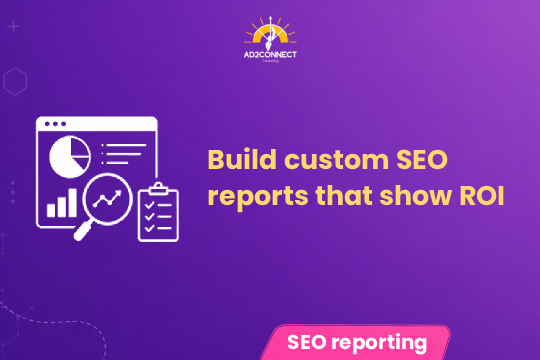
Build Custom SEO Reports That Show ROI
Most SEO reports look detailed—but they hide the one thing you actually care about: revenue.
If you’re running a business in Mumbai and working with a digital marketing agency in Mumbai, chances are you’ve seen reports filled with clicks, impressions, and rankings. But when you ask, “How many leads did this generate?”—there’s no clear answer.
You don’t need more data—you need clarity.
You want to know:
- Which keywords bring customers
- Which pages convert
- Whether your SEO is actually profitable
This guide will show you how to build custom SEO reports using Claude Code and Google Search Console that focus on ROI, leads, and growth.
Custom SEO reports
Custom SEO reports use data from Google Search Console combined with AI tools like Claude Code to track business outcomes instead of just traffic metrics.
- Identify high-converting keywords
- Track leads from SEO pages
- Automate insights for faster decisions
Unlike standard reports, custom SEO reports connect SEO performance directly to revenue and ROI.
Summary
- Standard SEO reports focus on vanity metrics
- Google Search Console provides raw data but lacks insights
- Claude Code helps analyze and automate reporting
- Custom SEO reports connect keywords to leads and revenue
- This improves ROI and decision-making
Why Most SEO Reports Fail
In our experience as a performance marketing agency in Mumbai, most businesses don’t have an SEO problem—they have a reporting problem.
- Too much data with no insights
- No connection to revenue
- No actionable recommendations
Common Mistakes Businesses Make
1. Focusing Only on Rankings
Ranking #1 doesn’t guarantee leads.
2. Ignoring High-Intent Keywords
Traffic without intent does not convert.
3. Using Default Reports
Google Search Console needs customization to be useful for business decisions.
Step-by-Step: How to Build Custom SEO Reports
Step 1: Extract Data from Google Search Console
- Queries
- Pages
- Clicks and impressions
- CTR
Step 2: Segment Keywords by Intent
- High-intent keywords
- Informational keywords
- Brand keywords
Step 3: Use Claude Code for Analysis
Use AI to identify patterns, gaps, and opportunities.
Step 4: Map Data to Conversions
Connect landing pages and keywords to actual leads.
Step 5: Build an Actionable Dashboard
- Which keywords bring leads
- Which pages convert
- Where you are losing opportunities
Case Study
We worked with a Mumbai-based service business struggling with SEO ROI.
- Before: 22,000 traffic, 55 leads, CPL ?2,400
- After: 16,000 traffic, 120 leads, CPL ?1,050
- ROI: Increased by 2.8X in 90 days
By focusing on high-intent keywords and optimizing top pages, we improved lead quality and reduced wasted traffic.
Expert Insights
- More traffic does not mean more revenue
- Most results come from a small number of pages
- Reports must drive decisions
- AI works best with structured data
Actionable Checklist
- Export Google Search Console data
- Identify high-intent keywords
- Map keywords to pages
- Track conversions
- Use AI for insights
- Remove low-value traffic
- Focus on top-performing pages
- Create weekly reports
Conclusion
Custom SEO reports are essential if you want real business growth.
By combining Google Search Console with AI tools, you can track what matters, make better decisions, and improve ROI consistently.