
Google Search Console AI Performance Reports and How to Protect Traffic
Your rankings are still there. Your traffic looks stable. But your leads are dropping.
If you’re working with a digital marketing agency in Mumbai or investing in SEO, this situation is becoming common.
The real problem isn’t your SEO failing—it’s that Google’s AI is answering your customers’ questions before they visit your website.
What you actually want:
- Consistent leads from SEO
- Better ROI from your marketing spend
- Control over how your content is used
This is where Google Search Console AI performance reports become critical.
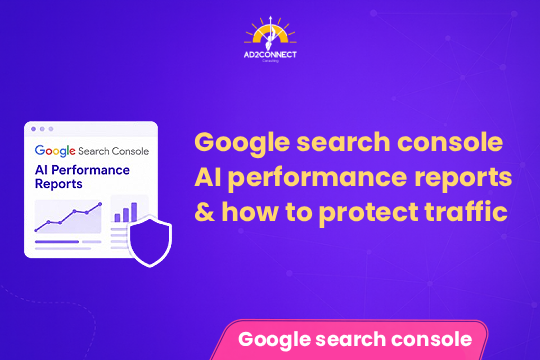
Google Search Console AI performance reports
Google Search Console AI performance reports help you track how your content performs in AI-powered search results like AI Overviews.
- AI-driven impressions
- Click-through rate changes
- Queries triggering AI answers
You can also control how your content appears in AI responses using robots tags and snippet settings.
Summary
- AI search reduces clicks but increases impressions
- Traffic loss is often due to AI, not SEO failure
- You can control AI visibility of your content
- SEO must shift from traffic to conversions
- Ignoring AI search means losing leads
Why Businesses Are Losing Leads
Search behavior has changed.
Earlier:
User searches ? clicks website ? converts
Now:
User searches ? AI answers ? no click
This impacts blogs, FAQs, and informational pages the most.
Common Mistakes
1. Tracking Only Traffic
Most businesses ignore CTR drops and AI impressions.
2. Writing Generic Content
AI prefers structured, direct answers—not long, vague blogs.
3. Ignoring Keyword Intent
- Informational keywords ? AI answers
- Transactional keywords ? real leads
4. No Content Protection Strategy
Most businesses don’t know they can control AI usage.
How to Use Google Search Console AI Performance Reports
Step 1: Identify AI Impact
- High impressions
- Low CTR
Step 2: Segment Keywords
- Informational queries
- Commercial queries
Step 3: Optimize Content
- Add short summaries
- Use bullet points
- Answer questions clearly
Step 4: Focus on Conversions
Add CTAs, forms, and lead-focused content.
How to Protect Your Traffic from AI
You can control AI visibility using:
- Robots meta tags
- Max-snippet settings
- Noindex for sensitive pages
Smart Strategy
- Allow blogs for visibility
- Restrict service pages
- Optimize landing pages for conversions
Case Study
Before AI Impact:
- Traffic: 22,000/month
- Leads: 510
- Cost per lead: ?210
After AI Impact:
- Traffic: 21,500
- Leads: 290
- Cost per lead: ?360
What We Did:
- Analyzed AI-driven queries
- Rewrote content with structured answers
- Restricted AI visibility on service pages
- Focused on local SEO targeting Mumbai
Results (3 Months):
- Leads: 495
- Cost per lead: ?230
- Conversion rate increased by 70%
Expert Insights
- Traffic is no longer the main metric
- AI prefers short, structured answers
- Local SEO performs better than broad SEO
- Conversion-focused content is essential
Actionable Checklist
- Track AI impressions in Search Console
- Identify pages with low CTR
- Add summaries to all blogs
- Target high-intent keywords
- Optimize for local SEO
- Protect high-conversion pages
- Improve landing page conversions
Conclusion
AI search is already changing how users interact with Google.
Google Search Console AI performance reports help you understand this shift—but insight alone is not enough.
You need:
- Better content strategy
- Smarter targeting
- Strong conversion optimization
Businesses that adapt now will dominate search results in the coming years.