
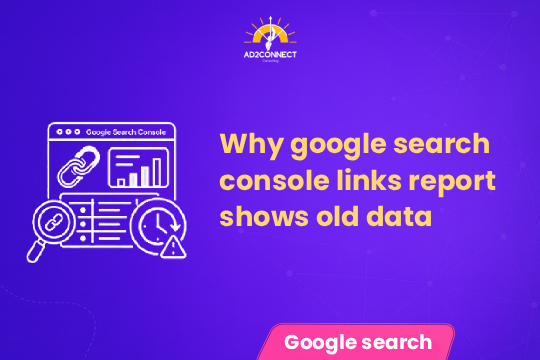
Why Google Search Console Links Report Shows Old Data
Your SEO report says your backlinks dropped… but your rankings didn’t.
If you’ve checked Google Search Console recently and noticed outdated or inconsistent link data, you’re not alone. Many businesses investing in SEO are facing the same confusion.
The real problem? You don’t know whether your SEO is actually working — or if the data is misleading you.
What you want is clarity: Are your backlinks safe? Is your SEO performing? And are you still getting leads?
Google Search Console links report shows old data
The Google Search Console links report shows old data due to temporary processing delays or system issues within Google.
- Your backlinks are NOT lost
- Your rankings are NOT affected
- This is only a reporting issue, not an SEO issue
Avoid making major SEO decisions based only on this report.
Summary
- GSC may display outdated backlink data
- This does not impact rankings or traffic
- Many businesses panic and stop SEO incorrectly
- Always verify with multiple tools
- Focus on leads and ROI instead of just reports
Why Google Search Console Links Report Shows Old Data
1. Data Processing Delays
Google does not update backlink data in real time. It processes data in batches, which can cause delays.
2. Temporary System Glitches
Sometimes Google reverts to older datasets while fixing internal issues.
3. Indexing vs Reporting Gap
Your backlinks may be indexed but not yet reflected in the reporting interface.
Common Mistakes Businesses Make
Stopping SEO Campaigns
Many businesses assume backlinks are lost and pause campaigns, which hurts long-term growth.
Blaming the SEO Agency
Even when working with a Best SEO Company in Mumbai, businesses may misinterpret data and lose trust unnecessarily.
Focusing Only on Reports
Backlink data is important, but it’s not the final indicator of success.
Step-by-Step Solution
Step 1: Cross-Verify Backlinks
Use tools like:
- Ahrefs
- SEMrush
- Bing Webmaster Tools
Step 2: Check Real Performance
- Organic traffic
- Keyword rankings
- Lead generation
Step 3: Continue SEO Activities
Do not stop:
- Link building
- Content creation
- Technical SEO
Step 4: Focus on ROI
As a Performance Marketing Agency in Mumbai, we focus on:
- Cost per lead
- Conversion rates
- Revenue growth
Case Study
Industry: Local Service Business
Monthly Budget: ?60,000
Before Issue
- Leads: 90/month
- Cost per lead: ?700
- Conversion rate: 5%
During GSC Issue
- Backlinks showed 40% drop
- Client wanted to stop SEO
Our Approach
- Verified backlinks via external tools
- Checked rankings (stable)
- Analyzed leads (unchanged)
Results After 60 Days
- Leads: 130/month
- Cost per lead: ?540
- ROI increased by 28%
Conclusion: The issue was in reporting, not performance.
Expert Insights
GSC Is Not the Final Truth
Even top agencies use multiple tools to validate SEO performance.
Backlinks Are Lagging Indicators
They reflect past activity, not real-time performance.
ROI Matters More Than Reports
Focus on:
- Leads
- Conversions
- Revenue
Glitches Create Opportunities
While competitors panic, consistent SEO efforts can improve rankings.
Actionable Checklist
- Verify backlinks using external tools
- Check Google Analytics traffic
- Monitor keyword rankings
- Continue SEO campaigns
- Avoid sudden decisions
- Focus on leads and ROI
- Communicate with your SEO agency
Conclusion
The Google Search Console links report old data issue is temporary — but your decisions shouldn’t be.
Your backlinks are likely intact. Your SEO is likely working.
The real risk is reacting to incorrect data.
Stay consistent. Focus on results. Trust strategy over short-term fluctuations.