Google Search Console AI Performance Reports: Boost SEO
Your SEO might be working… but your leads say otherwise.
Many business owners in Mumbai invest heavily in SEO and digital marketing, yet struggle to see real returns. Traffic increases, impressions grow—but conversions remain flat. The biggest issue? You don’t know what’s actually driving results anymore.
What you truly want is simple: more qualified leads, better ROI, and clear visibility into what’s working.
That’s exactly where Google Search Console AI performance reports change the game.
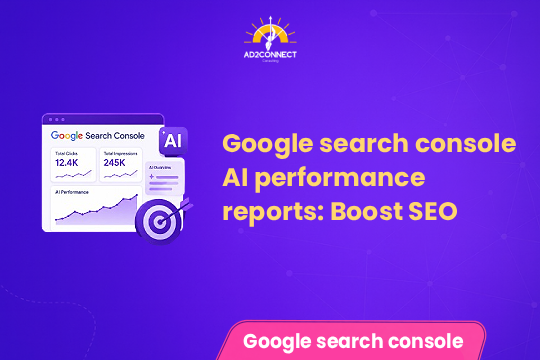
Google Search Console AI performance reports
Google Search Console AI performance reports are a new feature that helps track how your website performs in AI-generated search results like AI Overviews.
- Measure impressions and clicks from AI results
- Understand how your content appears in AI answers
- Optimize SEO strategies for AI-driven search
This gives businesses deeper insights beyond traditional rankings and traffic.
Summary
- Google now shows AI search performance data in Search Console
- AI results are reducing traditional clicks but increasing visibility
- SEO must shift from traffic-focused to conversion-focused
- Optimizing for AI answers improves lead quality
- Early adoption creates a competitive advantage
Why This Update Matters
The Hidden Problem in SEO
Most businesses track traffic, rankings, and ad performance. But AI search is changing user behavior.
- Users get answers directly from search
- Clicks are decreasing
- Decisions happen without visiting your site
This creates a gap between visibility and ROI.
What’s New
- Identify when your content appears in AI results
- Track engagement beyond clicks
- Understand which content influences AI answers
Common Mistakes
- Ignoring AI search trends
- Focusing only on rankings
- Creating generic content
- Missing high-intent queries
How to Use AI Performance Reports
Step 1: Identify High-Impression Queries
Find queries with high impressions but low clicks—these are likely AI-driven.
Step 2: Focus on Problem-Solving Content
Example:
- Weak: Digital Marketing Tips
- Strong: How to reduce cost per lead in Mumbai
Step 3: Structure Content for AI
- Use headings
- Add bullet points
- Provide direct answers
Step 4: Track Conversions
- Leads
- Cost per lead
- Conversion rates
Case Study
A Mumbai-based service business approached us struggling with ROI.
Before Optimization:
- Traffic: 18,000/month
- Leads: 120
- Cost per lead: ?1,200
After AI-Focused Strategy:
- Traffic: 15,500/month
- Leads: 210
- Cost per lead: ?650
Result: Higher ROI with lower traffic.
Expert Insights
1. Traffic is a Vanity Metric
AI reduces clicks but increases influence. Focus on conversions.
2. High-Intent Keywords Win
Keywords like “performance marketing agency in Mumbai” convert better than generic ones.
3. Quality Beats Quantity
One optimized page can outperform dozens of average blogs.
4. Local SEO + AI = Opportunity
Local searches are gaining importance in AI results.
Actionable Checklist
- Check AI data in Search Console
- Find high-impression, low-click queries
- Rewrite content in structured format
- Focus on problem-solving topics
- Add FAQs
- Optimize for Mumbai-based searches
- Track leads instead of traffic
Conclusion
The rollout of Google Search Console AI performance reports marks a major shift in how SEO works.
Success is no longer about:
- Ranking higher
- Getting more clicks
It’s about:
- Being visible in AI results
- Influencing user decisions
- Converting intent into revenue
Businesses that adapt now will gain a strong advantage.
Those who don’t will struggle to stay visible.