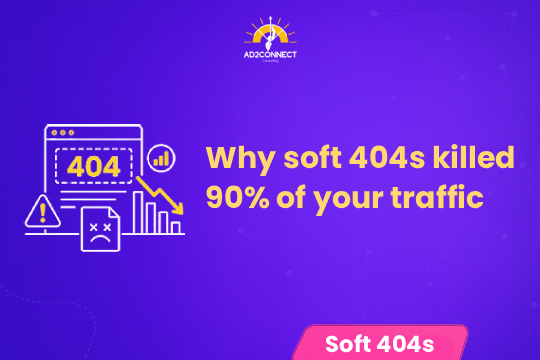
Why Soft 404s Killed 90% of Your Traffic
Your traffic didn’t just drop—it was already collapsing behind the scenes.
We’ve seen this happen repeatedly with small and mid-sized businesses in Mumbai. Leads suddenly stop. Google rankings disappear. You increase ad spend, but conversions don’t improve.
What you actually want is simple: steady leads, predictable growth, and a website that consistently generates ROI.
This is where most businesses get it wrong—the problem isn’t always your ads or content. It’s often hidden technical issues like soft 404s.
Soft 404s are pages that return a “200 OK” status but contain little or no useful content, causing Google to treat them as broken or low-quality pages.
- Reduce crawl efficiency
- Damage rankings
- De-index important pages
- Cause massive traffic loss (up to 90%)
Fixing them involves cleaning low-value pages, correcting status codes, and improving content quality.
Key Takeaways
- Soft 404s silently damage SEO performance
- Indexing issues amplify traffic loss
- More pages can reduce rankings
- Fixing structure and content can recover traffic
- Most businesses ignore these issues until leads drop
- Technical SEO problems can destroy lead generation even with good content
What Are Soft 404s?
A soft 404 happens when:
- The page technically exists (status code 200)
- But offers no real value to users
Common Examples:
- “Product not available” pages
- Empty category pages
- Thin location pages
- Auto-generated low-value pages
Google interprets these as poor user experience and reduces trust in your site.
Why Soft 404s Cause Traffic Collapse
1. Crawl Budget Gets Wasted
Google spends time crawling useless pages instead of important ones.
2. Index Gets Polluted
Low-quality pages weaken your SEO signals.
3. Trust Signals Drop
Google reduces confidence in your entire domain.
4. Important Pages Lose Visibility
Even high-quality pages start losing rankings.
The Real Problem: Indexing Issues + Soft 404s
Soft 404s alone are harmful—but combined with indexing issues, they become dangerous.
- Too many low-value pages get indexed
- Important pages get ignored
- Rankings drop gradually
- Traffic collapses suddenly
Common Mistakes
- Creating too many SEO pages: Duplicate location pages
- Ignoring low-performing pages: Pages with zero traffic
- Wrong redirects: Redirecting everything to homepage
- Thin content: Writing for search engines, not users
Step-by-Step Fix
Step 1: Find Soft 404s
- Check Google Search Console
- Use SEO audit tools
Step 2: Evaluate Pages
Ask: Does this page serve a real purpose?
Step 3: Take Action
- Improve valuable pages
- Remove useless pages (404/410)
- Redirect relevant pages (301)
Step 4: Improve Content
- Add depth and useful information
- Match search intent
- Add internal links
Step 5: Fix Indexing
- Update sitemap
- Fix canonical tags
- Remove junk pages
Case Study
A Mumbai-based service business approached us after a major drop:
- Traffic dropped: 68% in 4 months
- Leads: 150/month ? 42/month
- Cost per lead: ?380 ? ?1,650
Root Cause:
- 900+ indexed pages
- 40% were soft 404s
- Thin service and location pages
What We Did:
- Removed 400+ low-value pages
- Rebuilt core pages
- Fixed internal linking
Results (60 Days):
- Traffic increased by 95%
- Leads grew to 160/month
- Cost per lead dropped to ?520
Expert Insights
- More pages ? more traffic
- Soft 404s are often invisible
- Local SEO pages are high-risk
- Recovery can be fast if fixed properly
Actionable Checklist
- Check Google Search Console
- Identify zero-traffic pages
- Remove or redirect useless pages
- Improve thin content
- Fix internal linking
- Update sitemap
- Monitor indexing weekly
Conclusion
Soft 404s don’t break your website overnight—they slowly destroy your visibility.
By the time traffic drops, the damage is already done.
The good news? You can fix it—and recover faster than you think.
If your traffic has dropped without a clear reason, this is one of the first things you should audit.